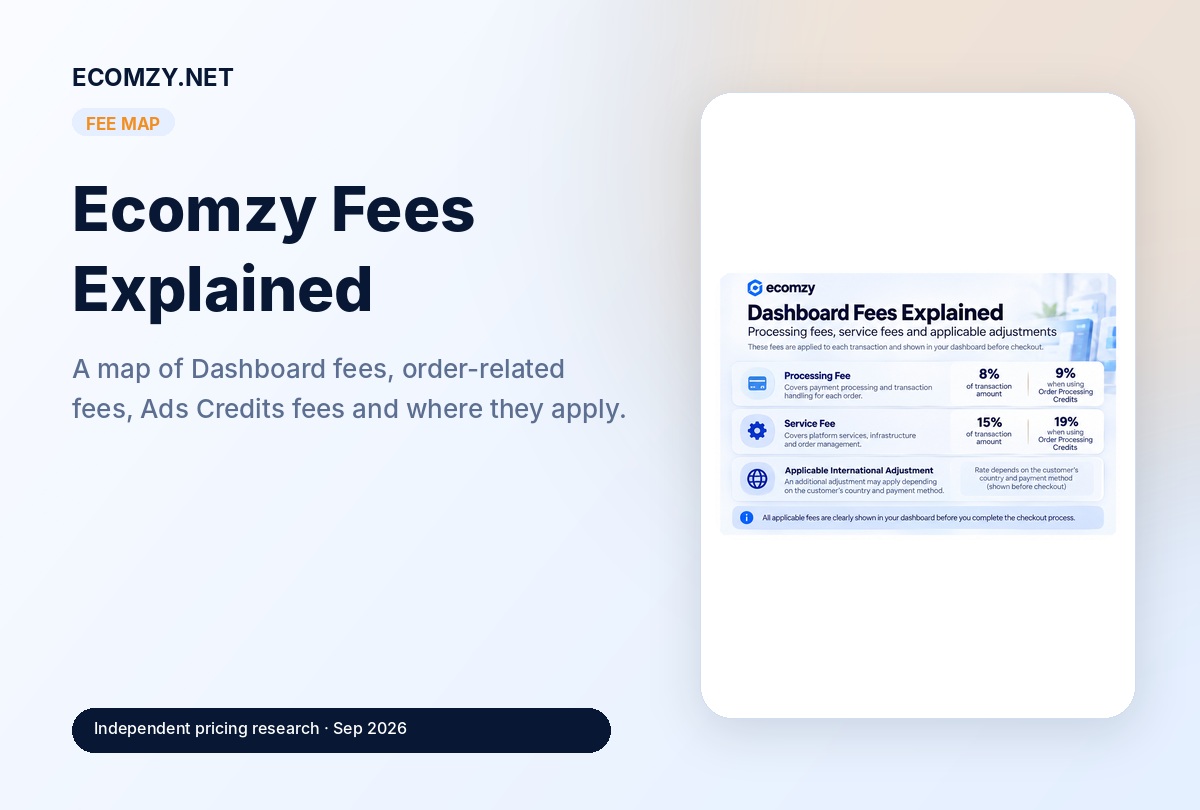
There is no single “Ecomzy fee.” The current Terms use different percentages for Dashboard service purchases, Ads Credits, Ecomzy Payments orders, processing and auto-processing. Those percentages apply in different contexts, so a useful fee guide must map the trigger for each fee rather than simply listing numbers.
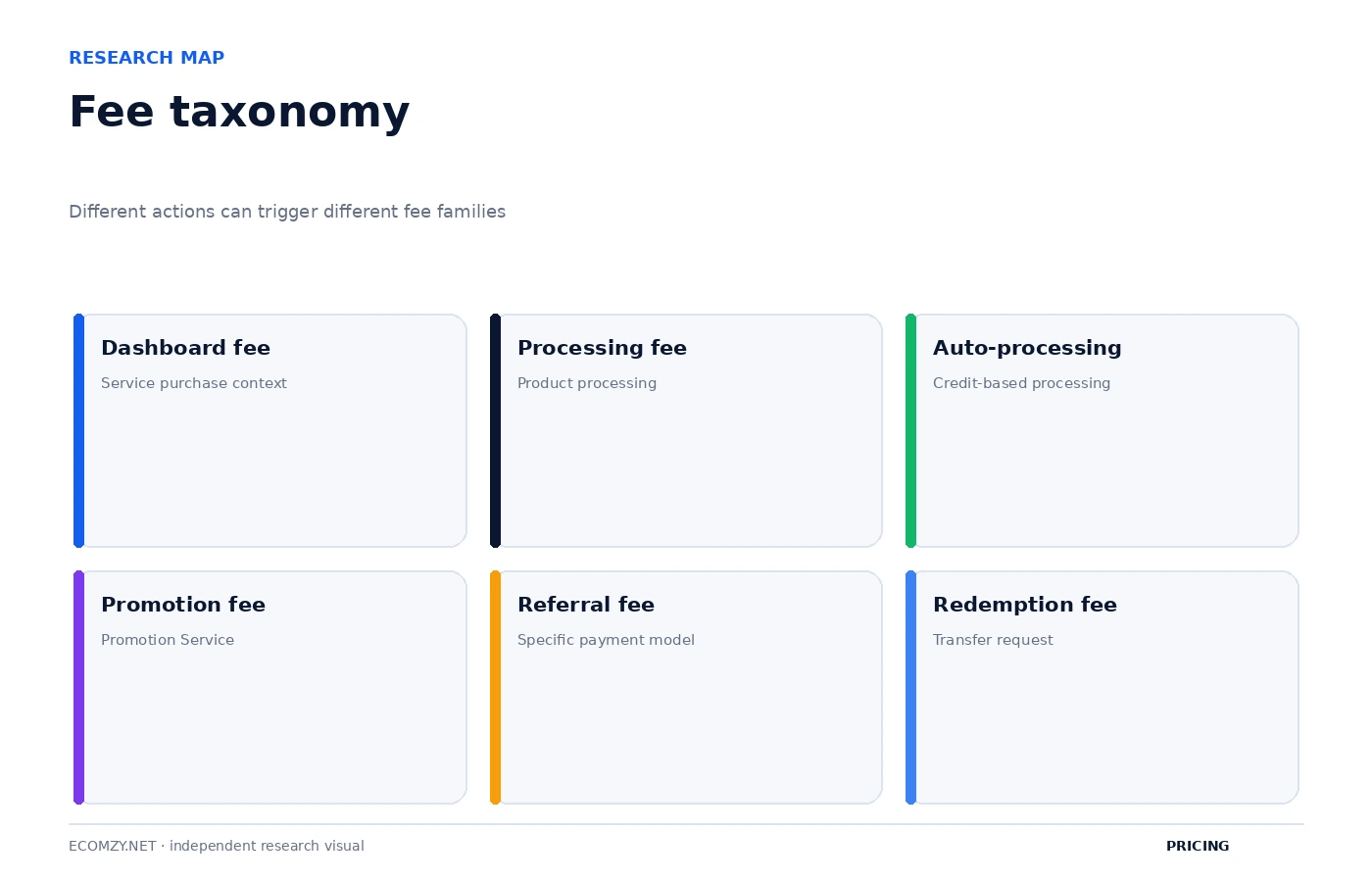
1. Dashboard service purchase fees
The Dashboard Services section says Ecomzy may apply platform-related service fees to purchases made through the Dashboard. It currently lists two general percentage charges:
- Processing Fee: 8% of the transaction amount; 9% for purchases of Order Processing Credits.
- Service Fee: 15% of the transaction amount; 19% for purchases of Order Processing Credits.
The Terms say applicable fees are displayed as separate checkout line items before payment is submitted. They also describe a possible International Service Adjustment for certain transactions.
If both standard Dashboard percentages apply to the same $100 purchase, the arithmetic fee component is $23. If both Order Processing Credits percentages apply, it is $28. That is a mathematical illustration, not a quotation for a specific checkout.
2. International Service Adjustment
The Terms describe an additional adjustment for certain transactions based on customer location and operational complexity. It is characterized as an Ecomzy platform service fee rather than a payment-card surcharge or bank fee.
No universal percentage is published in the portion of the Terms we reviewed. That means an independent calculator should not invent a rate. The correct amount is whatever the account checkout discloses before authorization.
3. Promotion Service / Ads Credits fee: 28%
The Fees and Charges section currently lists an Ecomzy Promotion Service (Ads) Fee of 28%. It applies to purchases of Ads Credits and is described as covering management of promotional activity within the Ecomzy ecosystem.
For arithmetic context, a $100 Ads Credits purchase produces a 28% fee component of $28. Whether a user is evaluating $10/day, $30/day or another unlocked budget, the fee rate belongs to the Ads Credits purchase rather than the monthly PRO subscription.
4. Referral Fee: 9.99%–18%
The current Terms list a Referral Fee between 9.99% and 18% for each completed order processed through Ecomzy Payments. It is described as supporting Ecomzy’s checkout and transaction infrastructure.
Because it is a range rather than one published universal rate, the exact fee for a specific account or order should be taken from the applicable Dashboard/checkout information.
5. Order Processing Fee: 9.99%–18%
A separate Processing Fee is listed in the 9.99%–18% range when the user pays Ecomzy for a product Ecomzy processes or fulfills on the user’s behalf under the applicable workflow.
The Terms describe this as covering the operational layer around routing, delivery/access, customer support, post-purchase care and dispute evidence.
This fee has a different trigger from the Referral Fee. A fee model therefore needs to identify the workflow, not just the percentage.
6. Auto-Processing Fee: 15%–23%
The Terms also list an Auto-Processing Fee between 15% and 23% when Order Processing Service is initiated using Ecomzy Order Processing Credits.
That should not be confused with the 9% Dashboard Processing Fee and 19% Dashboard Service Fee applied when purchasing the Credits themselves. One set of fees relates to purchasing a service/credit product; another can relate to using the processing workflow.
This distinction is one of the least obvious parts of Ecomzy’s cost architecture.
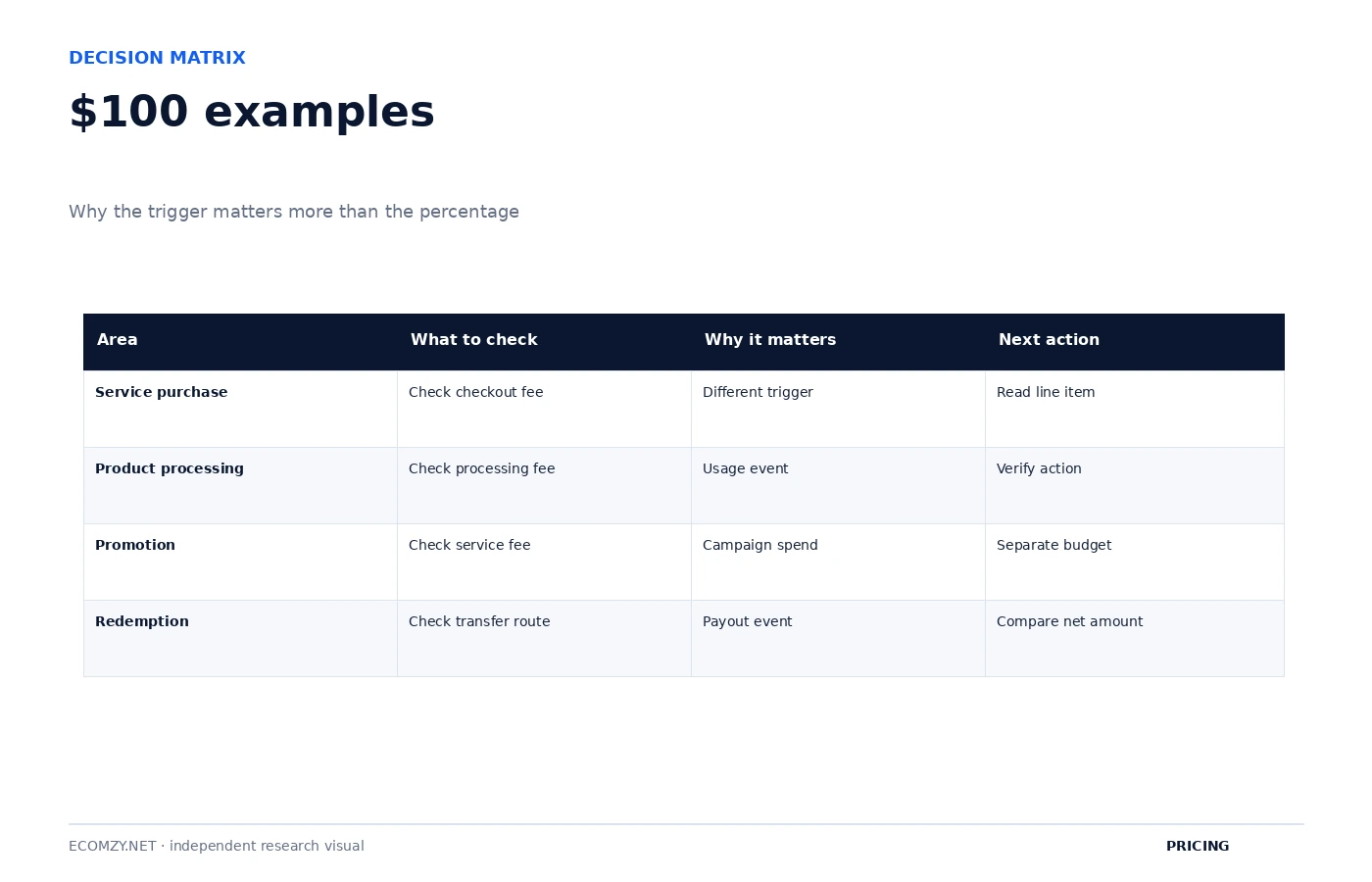
Worked $100 examples
| Context | Published rate | Fee on $100 basis | Important caveat |
|---|---|---|---|
| Standard Dashboard purchase | 8% + 15% | $23 if both apply | International adjustment excluded |
| Order Processing Credits purchase | 9% + 19% | $28 if both apply | Purchase-side fees only |
| Ads Credits purchase | 28% | $28 | Promotion Service fee |
| Referral Fee | 9.99%–18% | $9.99–$18 | Only if referral fee applies to that order |
| Processing Fee | 9.99%–18% | $9.99–$18 | Separate processing workflow |
| Auto-Processing Fee | 15%–23% | $15–$23 | When auto-processing via Credits applies |
Why you should not add 18% + 18% + 23% and call it “the Ecomzy fee”
That calculation would be misleading because the Terms define different triggers. A completed order via Ecomzy Payments, a product-processing event, a Dashboard service purchase and an Ads Credits purchase are not the same transaction.
Some users may encounter more than one fee in a broader workflow, but the correct amount must be built transaction by transaction.
Which fees are refundable?
The Dashboard Services section says additional fees, including processing fees and service fees, are non-refundable even where the underlying service qualifies for a refund.
Other service sections can have their own refund conditions. For example, some services become non-refundable once work has started or access/materials have been provisioned.
Bank, tax and currency costs are a separate layer
The Paid Services terms say quoted costs are generally in U.S. dollars, may exclude applicable taxes, and third parties can impose international-transaction or currency-conversion charges. Ecomzy says it is not liable for those third-party charges.
Those costs should not be mislabeled as Ecomzy platform fees. A clean cost ledger should separate:
- Ecomzy subscription charges;
- Ecomzy platform/service fees;
- taxes;
- bank/card/FX charges.
A better fee ledger
For each charge, record five fields:
- transaction or order ID;
- base amount;
- fee name;
- rate shown;
- fee amount.
This makes it possible to reconcile real effective cost instead of relying on a generic percentage copied from a pricing summary.
Start with the trigger, not the percentage
The cleanest way to audit Ecomzy fees is to identify the event that causes the fee. The same account can encounter several fee percentages over time, but each percentage belongs to a specific event.
| Trigger event | Fee family | Published range/rate |
|---|---|---|
| Purchase eligible Dashboard service | Dashboard Processing Fee | 8% |
| Purchase eligible Dashboard service | Dashboard Service Fee | 15% |
| Purchase Order Processing Credits | Dashboard Processing + Service Fee | 9% + 19% |
| Purchase Ads Credits | Promotion Service Fee | 28% |
| Completed order through Ecomzy Payments | Referral Fee | 9.99%–18% |
| Ecomzy processes/fulfills product | Processing Fee | 9.99%–18% |
| Order Processing Service uses Credits | Auto-Processing Fee | 15%–23% |
| Late order confirmation | Late Processing Charge | 9%–18% |
This table is more useful than a list of percentages because it connects each charge to the action that creates it.
Late Processing Charge: another separate fee path
The current Terms also describe a Late Processing Charge in the 9%–18% range when fulfillment is delayed because the customer did not confirm order processing within three days. The Terms say the possibility of the charge is disclosed before purchase.
This means timing itself can become a cost variable. A fee audit should therefore include not only what was purchased but when required operational steps were completed.
Commission redemption fees are a different category again
The Terms contain another group of fees tied to redeeming Ecomzy-funded commission incentives. Current examples include:
- Ads Credits redemption: 0%;
- Order Processing Credits: 28%;
- ACH transfer: 5% with a $10 minimum;
- International Wire: 7% with a $30 minimum;
- Express ACH: 14% with a $30 minimum;
- Express International Wire: 14% with a $50 minimum.
These are not the same as Dashboard purchase fees, order processing fees or the Promotion Service fee. They apply to a commission-redemption workflow.
Minimum transfer fees create a non-linear effective rate
Percentage fees with a minimum charge behave differently at small payout amounts. For example, a 5% ACH fee with a $10 minimum has an effective rate above 5% whenever the transfer amount is below $200.
| ACH amount | 5% calculation | Minimum rule | Effective fee |
|---|---|---|---|
| $100 | $5 | $10 minimum | $10 = 10% |
| $150 | $7.50 | $10 minimum | $10 = 6.67% |
| $200 | $10 | $10 minimum | $10 = 5% |
| $500 | $25 | Percentage exceeds minimum | $25 = 5% |
This is independent arithmetic based on the published ACH rate and minimum. It illustrates why the nominal percentage is not always the effective percentage.
The same effect applies to wire and express methods
For International Wire, the published 7% rate has a $30 minimum. The break-even point where 7% equals $30 is about $428.57. Below that amount, the minimum causes the effective percentage to exceed 7%.
For Express ACH at 14% with a $30 minimum, 14% equals $30 at about $214.29. For Express International Wire at 14% with a $50 minimum, the corresponding point is about $357.14.
These breakpoints are useful when comparing redemption methods because they show when the minimum fee stops dominating the calculation.
A full illustrative fee stack for a Dashboard purchase
Suppose an eligible Dashboard service has a base price of $499 and both standard Dashboard percentages apply. The arithmetic looks like this:
| Base service price | $499.00 |
|---|---|
| 8% Processing Fee | $39.92 |
| 15% Service Fee | $74.85 |
| Illustrative subtotal | $613.77 |
This excludes any international adjustment or tax. The purpose is to show the effect of percentage-based checkout additions, not to claim that every $499 service will use exactly this fee stack.
Order Processing Credits have purchase-side and use-side economics
Order Processing Credits are especially easy to misunderstand because the Terms discuss charges at more than one point in the lifecycle.
At purchase, the Dashboard section lists 9% Processing Fee and 19% Service Fee for Order Processing Credits. Later, when the Order Processing Service is initiated using those Credits, the Terms describe an Auto-Processing Fee in the 15%–23% range.
Those are different triggers. An accurate ledger should therefore create separate entries for:
- cost of acquiring the Credits;
- fees attached to acquiring the Credits;
- fees triggered when the Credits are used in order processing.
Collapsing all three into one percentage hides where the cost actually occurs.
Ads Credits also separate credit purchase from service delivery
The Terms describe Ads Credits as prepaid service credits used only for Ecomzy’s Promotion Service. They are not cash, stored value or a transferable wallet balance, and purchases are described as non-refundable.
The 28% Promotion Service fee applies to Ads Credits purchases. Daily payment is used to keep the Promotion Service active, and a failed daily payment can pause campaigns.
For financial reporting, the account should separate:
- Ads Credits purchased;
- 28% Promotion Service fee;
- date credits were consumed or applied to service delivery;
- unused non-refundable credits, if any;
- campaign pauses or failed daily payments.
Build an effective order-cost metric from actual statements
Instead of assuming a universal order fee, calculate an actual effective order cost after the fact:
If a particular order has a $100 basis and the statement shows a $12 referral fee plus no other order fee, the observed effective rate for that fee is 12%. If another order uses a different processing path and shows a different fee, record it separately.
Over a sample of real orders, the user can calculate a weighted average that reflects the account’s actual workflow rather than the published minimum or maximum alone.
How to budget a published fee range
When the Terms publish a range such as 9.99%–18%, there are three sensible planning cases:
- Low case: use the lower bound;
- expected case: use the account’s observed historical rate if enough data exists;
- stress case: use the upper bound.
Do not invent a midpoint and call it the standard rate. The midpoint can be used as a modeling assumption only if it is clearly labeled as an assumption.
Non-refundable fee components change net refund value
The Dashboard refund section says additional Processing and Service Fees are non-refundable even when the underlying service qualifies for a refund.
Suppose a $100 service is eligible for a full refund but the checkout also included $23 in non-refundable standard fees. A “full refund of the service” would not necessarily mean the entire $123 cash outflow returns. The net recovery depends on the refund rule that applies to those fee line items.
This is why refund analysis should always start from the actual receipt, not just the service’s advertised price.
A transaction-level fee audit workflow
- Export or record every paid transaction.
- Classify it as subscription, tier, Dashboard service, Ads Credits, order activity or commission redemption.
- Record each fee line exactly as displayed.
- Match the line to the Terms section that describes its trigger.
- Calculate the effective percentage from the actual base amount.
- Flag any rate that falls outside the published range or lacks a clear explanation.
- Keep screenshots of checkout disclosures for large purchases.
This produces a defensible audit trail and makes support questions much more precise if a charge is disputed.
Why the card-surcharge distinction matters
The current Terms explicitly say Ecomzy does not impose payment-card surcharges and characterizes its own fees as platform service fees rather than charges based on the customer’s payment-method choice.
That means a user should distinguish an Ecomzy platform fee from a separate bank or card issuer fee. If the bank adds a foreign-transaction charge, that is a third-party cost even though it appears on the same card statement.
A better model than “Ecomzy charges X%”
The accurate statement is conditional:
Ecomzy publishes several fee schedules, each attached to a specific transaction, service or operational event.
That wording is less catchy than a single percentage but much more accurate. It also explains why two users can report different effective fee rates without either necessarily being wrong.
Keep the checkout disclosure with the transaction
The Terms repeatedly say applicable fees are disclosed before checkout. That disclosure is valuable evidence because public Terms describe general rules while the checkout shows the amount actually applied to a specific purchase.
For larger services, save the checkout screen or invoice together with the service order. If a later refund, revision or support question arises, the user can compare the original base price, fee line items and authorized total without reconstructing the transaction from memory.
Fee schedules can change, so historical rates need dates
The Terms reserve the right to modify costs and fees. A rate recorded today should therefore be stored with the date it was observed. Historical transactions should be evaluated against the terms and checkout disclosure that applied at the time, not automatically against a later fee schedule.
This is especially important for long-running cost models. Without dates, a spreadsheet can make a legitimate historical charge look inconsistent simply because the published fee structure changed later.
A reconciliation example with separate fee families
Imagine a statement contains one $399 Dashboard service purchase, one $100 Ads Credits purchase and one completed order carrying a $12 referral fee. These should be recorded as three different economic events, not combined into a single “Ecomzy percentage.” The Dashboard purchase has its own checkout stack, the Ads purchase has the 28% Promotion Service fee, and the order has a separately triggered referral charge.
That separation makes future analysis much cleaner. The user can see whether rising total fees came from buying more services, increasing promotion spend or processing more orders rather than assuming the platform silently changed one master fee rate.
FAQ
Does Ecomzy charge 8%?
The current Dashboard Services section lists an 8% Processing Fee for applicable Dashboard purchases, with 9% for Order Processing Credits. That is not the only fee in the Terms.
What is the 15% Ecomzy fee?
The Dashboard Services section lists a 15% Service Fee, rising to 19% for Order Processing Credits purchases.
What is the 28% fee?
The current Terms list a 28% Ecomzy Promotion Service fee on purchases of Ads Credits.
Does Ecomzy charge a fee on orders?
The Terms list order-related fee ranges including Referral, Processing and Auto-Processing fees. Which one applies depends on the operating workflow.
Primary source
Research checked September 29, 2026. Worked examples are independent arithmetic illustrations, not account-specific quotes.
Join the discussion
Share a question, correction or useful experience related to this article. First-time comments may be held for moderation.