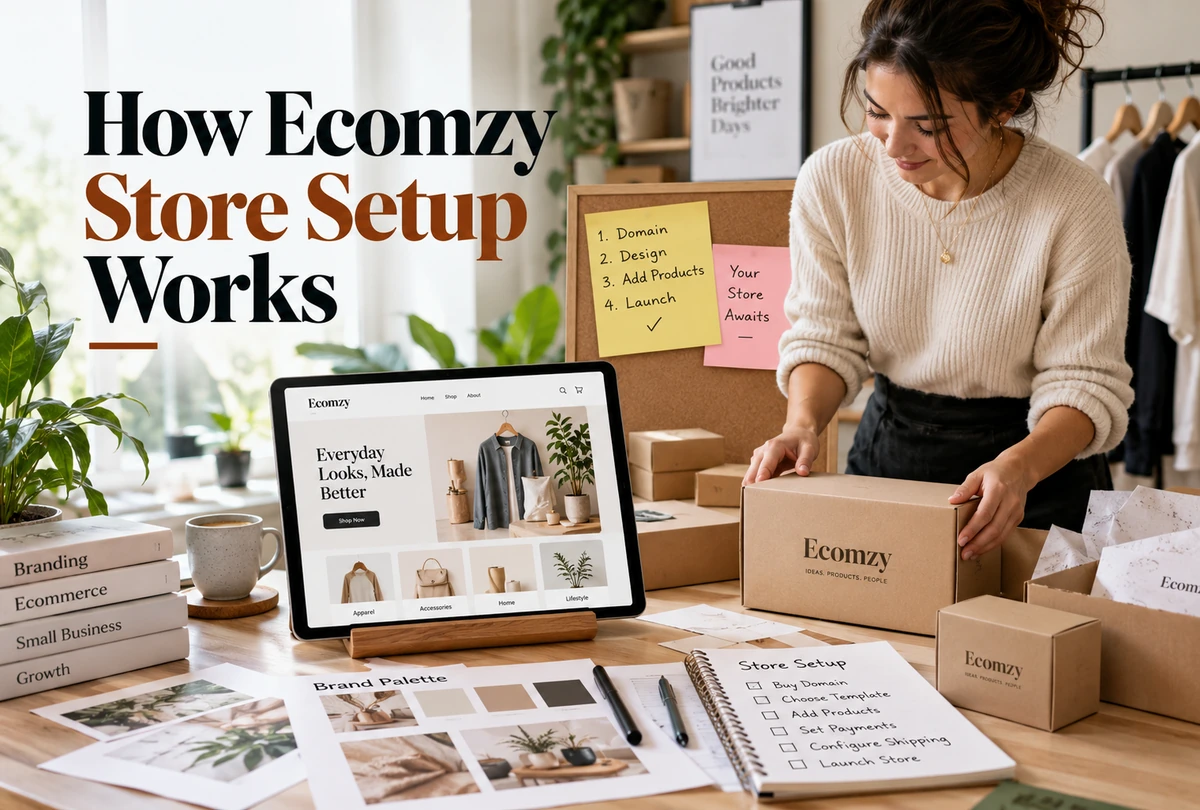
“Turnkey” is the right starting word for Ecomzy store setup, but it is not the end of the explanation. Ecomzy’s current Terms describe a subscription that includes a free turnkey WordPress store, the Ecomzy plugin, hosting, catalog access and a set of preconfigured store components. Its marketing pages emphasize speed and low technical friction. At the same time, the Fulfillment Policy describes a one-to-two-business-day window for receiving turnkey-store credentials after payment and completion of the setup survey. This guide separates those layers so a new user can understand what Ecomzy is expected to provision, what still needs to be reviewed by the store owner, which selections can create immediate charges, and what “ready” actually means in operational terms.
1. Store setup begins with provisioning, not page building
Traditional store builders usually begin with an empty account, a theme chooser and a long configuration checklist. Ecomzy’s documented model starts further along. The Terms say the subscription includes a free turnkey store that is a WordPress site with the Ecomzy platform plugin and hosting. The company also lists a set of store-creation components that are prepared as part of the service. That changes the nature of the setup task: the user is not starting from a blank server or installing a shopping system from scratch.
The core setup therefore has two phases. First comes provisioning by Ecomzy: the technical environment, the store instance and the included base components. Second comes review and business configuration by the user: checking the domain, products, presentation, services and account settings that actually apply to the store. Calling both phases “setup” is accurate, but combining them can create the false impression that nothing remains to inspect after access is delivered.
The current Pricing page reinforces the low-technical-friction positioning by saying users do not need to install anything and do not need to set up a payment gateway before using the store. It also says hosting is included and that an existing domain can be used. Those statements explain why Ecomzy can present itself as ready-made, but they should not be translated into “every business decision is already made.” The store can be technically provisioned while still needing a deliberate review of what will be shown to customers.
2. What Ecomzy says is included in free store creation
The Terms provide a concrete list that is more useful than generic “done for you” language. Free turnkey store creation includes a free domain name unless a premium or existing domain is selected in the survey, hosting, one branded email address, access to the Ecomzy Catalog, 50 random Ecomzy products uploaded by default, mailing-service setup and basic SEO metadata. This list is the clearest baseline for evaluating whether a new store was provisioned as expected.
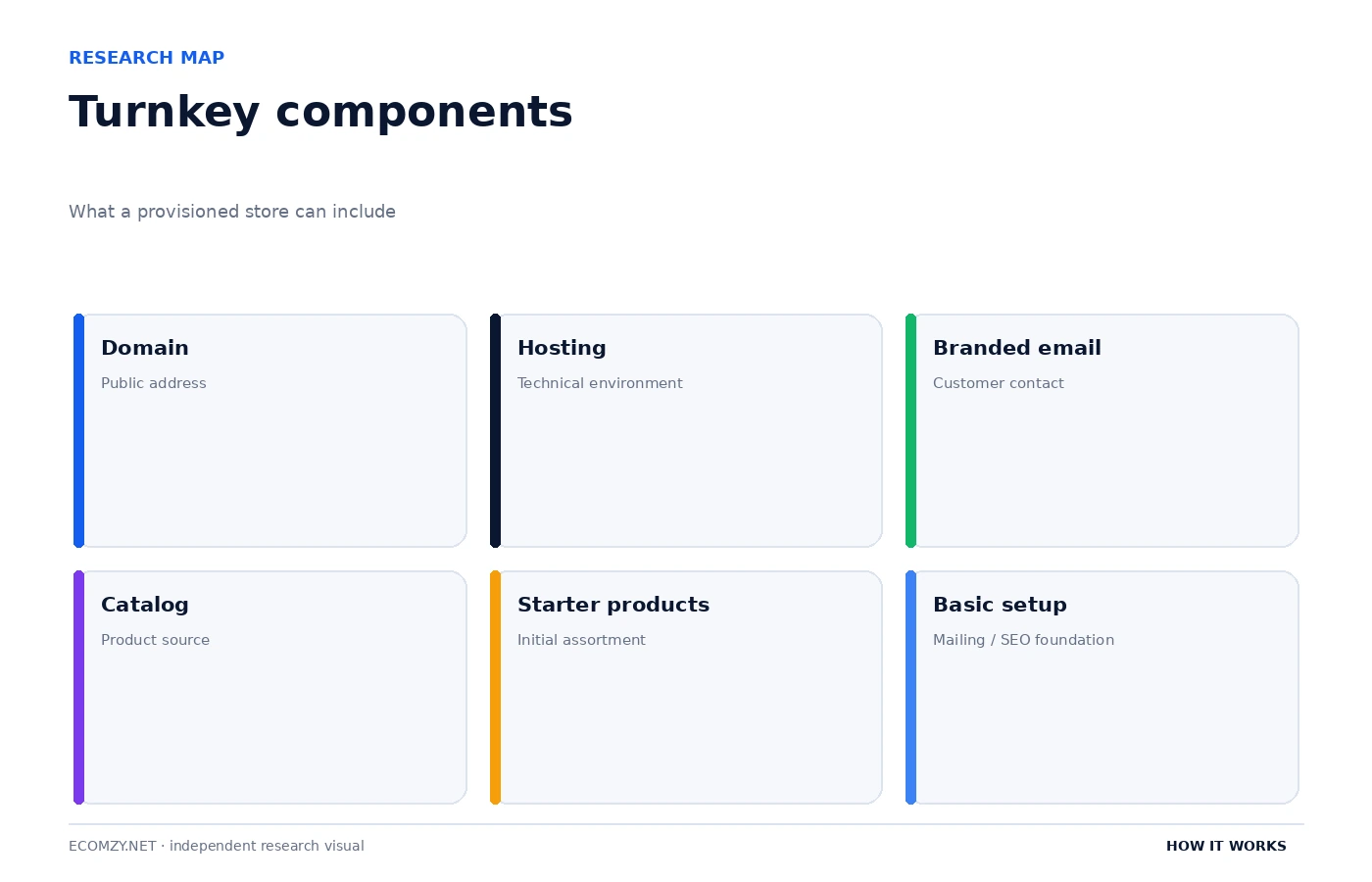
Each item has a different role. The domain controls the public address. Hosting is the infrastructure layer. The branded email supports customer-facing communication. Catalog access is the supply of importable products. The initial 50 products make the store non-empty. Mailing setup and basic SEO metadata provide a starting marketing foundation. None of those components alone proves that the store is commercially ready, but together they explain why the initial experience can be much shorter than building an ecommerce site from scratch.
The distinction between “included” and “configured exactly how I would choose” is important. The Terms describe 50 random Ecomzy products uploaded by default. A random starter assortment is useful for provisioning, but it is not necessarily a curated final assortment. Similarly, basic SEO metadata is a foundation, not a substitute for a complete search strategy. A branded email address is infrastructure, not a customer-support process. The store owner still needs to inspect each provisioned component through a business lens.
3. The setup survey can change what is provisioned and what is charged
Ecomzy’s Terms state that the store setup survey can include additional paid services that are not part of the trial and can be charged immediately after the survey is submitted. This is one of the most important setup details because it makes the survey a commercial configuration step rather than a harmless preference form. A user should read every selected add-on, price and disclosure before submission.
The domain choice is a simple example. The included setup can use a free domain, but the Terms carve out premium domains and the option to use an existing domain. Those choices can alter the provisioning path. The same principle applies to other optional services: if the survey presents an upgrade or service that is outside the free-trial scope, the user should treat it as a separate purchase decision even though it appears during initial setup.
A good practice is to capture the final survey selections, confirmation screen and any checkout breakdown. That record makes later troubleshooting easier because the user can compare what was selected with what was provisioned and charged. It also prevents a common category error: assuming that every line item selected while creating the store is part of the base PRO subscription.
4. Domain, hosting and branded email are different setup layers
The public Pricing page says Ecomzy includes hosting and allows either a purchased domain through Ecomzy or an existing domain owned by the user. The Terms add that a free domain is part of turnkey creation unless a premium or own domain is selected in the survey. Together, these sources show that the public address of the store can be handled in more than one way, while hosting remains part of the platform arrangement.
A domain is not the same thing as hosting. The domain is the address customers use. Hosting is the environment that serves the store. Keeping those concepts separate matters when diagnosing a launch problem. A domain issue can involve registration, DNS or connection to the store even when the WordPress installation itself is working. Conversely, the store environment can be available on a temporary or system address before the preferred domain has finished propagating.
The branded email address is another separate layer. The Terms list one address such as [email protected] as part of turnkey creation. That is useful for brand presentation, but users should still check that mail delivery works in both directions, that messages are not landing in spam, and that the address is actually monitored. A provisioned mailbox is only useful operationally if the support workflow around it is also working.
5. “Live in 60 seconds” and “1–2 business days” are not the same promise
Ecomzy’s public ecommerce-store page uses very fast launch messaging, including language that the store can be live in 60 seconds and that setup is automatic. Separately, the Fulfillment Policy says that, after successful payment and completion of the store setup survey, access credentials to the new turnkey store are delivered within one to two business days. A careful independent guide should show both statements instead of silently picking the more attractive one.
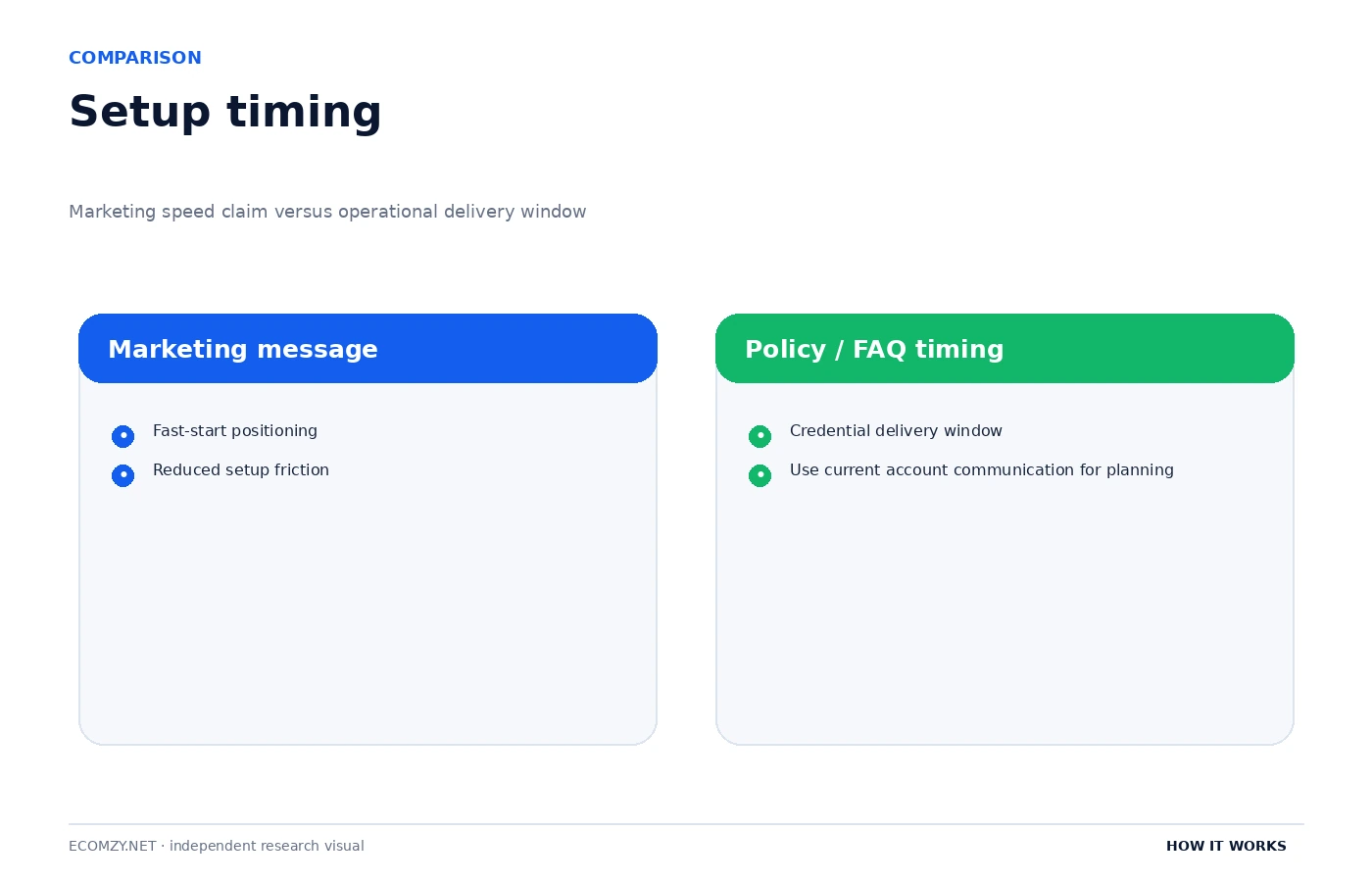
The two statements can be interpreted as referring to different parts of the experience. Marketing copy can describe the amount of user effort or the speed of creating the account and initiating the store. The Fulfillment Policy describes delivery of store access credentials. Because the policy language is more operationally specific, it is the safer reference when someone is planning when they will actually receive credentials and begin reviewing the provisioned site.
This is also a useful general rule for evaluating SaaS onboarding claims. A speed claim should always be tied to a defined event: account created, site provisioned, credentials delivered, custom domain connected, or store reviewed and ready for promotion. Those are different milestones. For Ecomzy, the public documents do not justify collapsing them into one universal sixty-second guarantee.
6. The store can be technically ready before it is editorially ready
Once credentials arrive, the next job is review. The store owner should inspect the homepage, navigation, product pages, legal and policy pages, contact information, domain, email, mobile behavior, checkout path and the default product assortment. The goal is not to rebuild the store; it is to make sure the provisioned environment matches what the business intends to present.
The product review deserves special attention because the Terms say 50 random Ecomzy products can be uploaded by default. Random starter content is useful for showing how the store works, but it can produce an assortment that feels inconsistent if left untouched. The catalog article in this hub goes deeper into selection and import, but the setup-stage question is simpler: should every default product remain live on day one? That is a merchandising decision, not a technical requirement.
The same distinction applies to SEO. Basic metadata can make the site structurally less empty, but search positioning depends on much more than a few default meta fields. Store owners should not read “basic SEO metadata” as a guarantee of rankings or as evidence that no further content work is needed. The Terms themselves make no such promise.
7. Payment configuration depends on the operating model
The current Pricing page says Ecomzy’s own payment system is installed and activated by default and can accept major payment methods. The Terms also describe more than one payment model, including Ecomzy Payments and a Customer-Managed Payments Model in which the customer uses an independently operated payment system and acts as the seller for those transactions. That means payment setup should be checked in the actual account rather than inferred from a generic marketing statement.
For a new store, the practical questions are: which model is active, where does the customer complete checkout, who processes the customer payment, and which order workflow follows from that model? Those answers affect how the user should read order status and Commission. They are also the reason a store-setup article should stop short of claiming a single universal checkout path for every Ecomzy account.
If the user’s live account differs from a public marketing example, the current Dashboard and Terms should control the operational interpretation. A screenshot on a marketing page can illustrate an experience, but it is not a substitute for the configuration actually attached to the user’s store.
8. A practical post-provisioning checklist
The fastest way to turn a turnkey store into a controlled operating environment is to audit it in layers instead of browsing randomly. First confirm access and subscription status. Then confirm the domain and email. Next inspect the storefront structure and default products. After that, verify the payment model and run through the order path you expect customers to use. Finally, review any paid services or Performance Tier tools that were selected during onboarding.
- Account: confirm the correct email, active PRO plan and trial or renewal status.
- Access: save the store URL, Dashboard URL and support contact information.
- Domain: confirm which domain option was selected and whether it resolves correctly.
- Email: send test messages to and from the branded address.
- Catalog: review the 50 default products and remove or replace obvious mismatches.
- Storefront: inspect navigation, policies, contact information and mobile rendering.
- Checkout: confirm the active payment model and test the expected customer path.
- Paid services: compare add-ons with the survey confirmation and checkout disclosures.
- Marketing: understand the tier and billing effect before activating more tools.
This checklist is intentionally operational rather than promotional. It assumes that the value of a turnkey store is speed, but that speed is only useful if the owner can clearly identify what has been provisioned, what was selected and what still needs a decision.
9. Setup is complete only when the owner can verify the customer path
Provisioning gives the owner a working environment, but verification closes the setup loop. The customer path should be tested from a device and browser that are not logged into WordPress or the Ecomzy account. This catches problems hidden by admin sessions, such as caching differences, missing public navigation, domain redirects or login-only content. A store that looks correct in the editor is not necessarily the store customers see.
The test should be repeatable. Start at the public homepage, navigate to a category, open a product, use the support or contact path, move toward checkout and confirm that policy pages are accessible. On mobile, check whether navigation and product calls to action remain usable. This is not advanced QA; it is the minimum evidence that the turnkey environment has become a real customer-facing store.
10. Separate reversible setup choices from recurring commitments
Theme tweaks, product order and navigation changes are usually reversible storefront choices. A recurring subscription, Performance Tier or paid service is a commercial commitment that may have a different cancellation rule. During setup, treat those categories differently. Cosmetic experimentation should be easy; recurring charges should be deliberate and documented.
That discipline is especially useful during onboarding because the setup survey can place technical preferences and paid options on the same journey. The user should slow down wherever a choice affects billing, renewal or a service that becomes non-refundable after work begins. The final record of those decisions is part of setup, not paperwork to ignore after the store appears.
Frequently asked questions
Is Ecomzy store setup completely automatic?
Ecomzy provisions much of the technical environment, but the public documents still involve a setup survey and user choices such as domain selection and optional services. The final store should be reviewed before promotion.
Does Ecomzy include hosting?
Yes. Both the Terms and Pricing page describe hosting as included with the turnkey store.
Does Ecomzy include a domain?
The Terms say free store creation includes a free domain unless a premium or own domain is selected in the setup survey. The Pricing page also says an existing domain can be used.
Why does Ecomzy say 60 seconds if the policy says 1–2 business days?
The marketing page and Fulfillment Policy appear to describe different milestones. The marketing page emphasizes rapid launch, while the policy gives a more specific window for delivery of turnkey-store credentials. For operational planning, use the policy window.
Are extra services selected during onboarding part of the free trial?
Not necessarily. The Terms specifically say additional paid services selected in the setup survey are not part of the trial and can be charged immediately.
Where to go next
- How Ecomzy Works
- How the Ecomzy Product Catalog Works
- How Ecomzy Orders and Order Processing Work
- Ecomzy Pricing Hub
Official sources reviewed
This article was checked against Ecomzy’s public documentation on September 30, 2026. Where marketing copy and policy language describe the same topic differently, the distinction is stated instead of silently choosing one version.
What to document on day one
Save the onboarding email, the store URL, the account email, the selected domain option, the final survey confirmation and any receipt for services chosen during setup. Create a short record of the date credentials were received and the date the trial is expected to convert to paid service.
Take screenshots of the default storefront before editing it. This gives you a baseline if a theme, domain or product change later creates an unexpected layout issue. It also makes it easier to identify which elements were part of Ecomzy’s initial provisioning and which were added by the store owner.
Test the store as a customer would: open it in a private browser window, navigate categories, open several products, use the contact path, inspect the mobile version and follow the checkout flow until the point where a real payment would be required. A turnkey store should be judged by the customer path, not only by the admin screen.
Join the discussion
Share a question, correction or useful experience related to this article. First-time comments may be held for moderation.