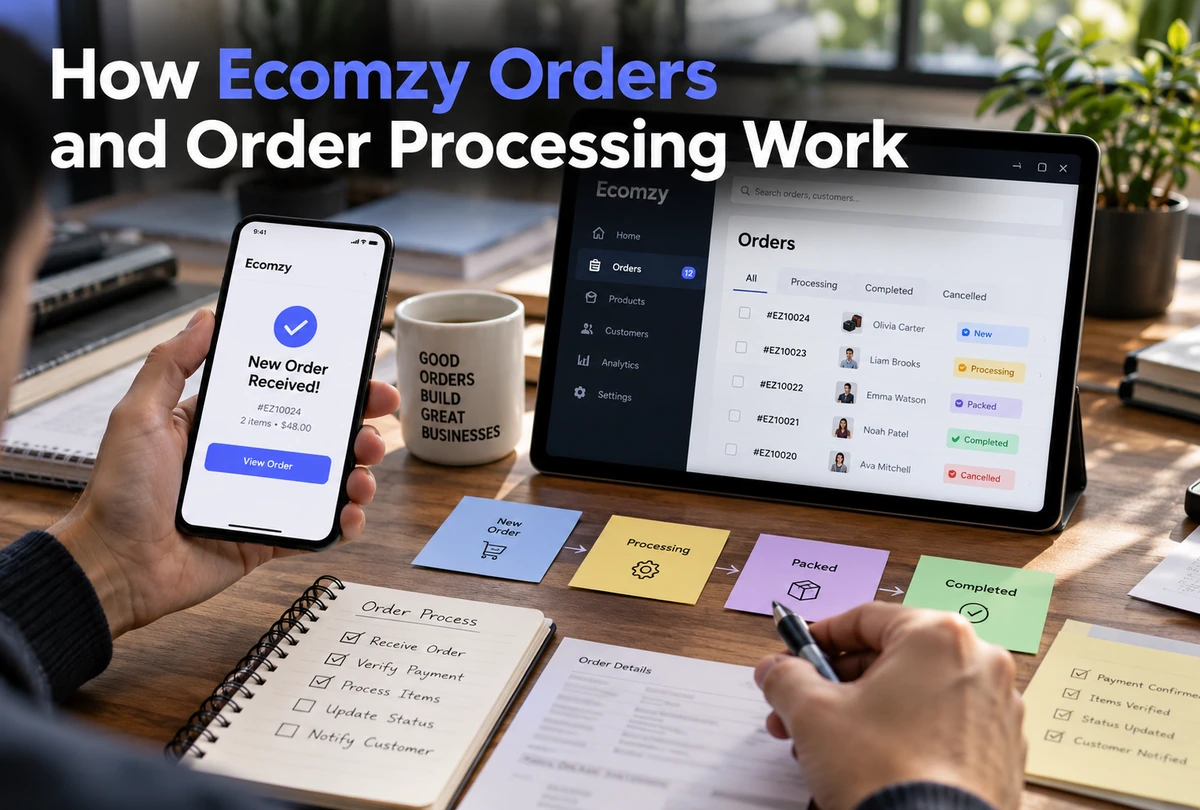
Order processing is the point where Ecomzy stops being a static storefront and becomes an operating system. The current Terms connect order processing to fulfillment, service fees, Commission status and optional Order Processing Credits. They also describe more than one payment model, which means not every account should be assumed to use an identical checkout path. This article follows the process rather than the marketing narrative: how an order enters the workflow, why processing status matters, what changes when the optional Processing Service is used, how delay can trigger additional rules, and where Commission begins to move from Pending toward Available.
1. First identify the payment and storefront model
The Terms distinguish between an Ecomzy Payments model and a Customer-Managed Payments Model. Under Ecomzy Payments, Ecomzy manages payment acceptance. Under the Customer-Managed Payments Model, the customer uses an independently operated payment system, processes customer transactions autonomously and acts as the seller to the end customer for transaction-related purposes. The Terms also describe a Partner Storefront model that can function as a promotional and pre-checkout interface directing shoppers to Ecomzy Mall for order completion.
Because those models are not identical, a generic article should not pretend there is one universal checkout diagram for every account. The correct first step is to identify what the live store actually does: where the shopper completes checkout, who accepts the payment and what Dashboard state appears after the order is created. The rest of the process should be interpreted from that real configuration.
This is particularly important when reading Commission. In the Partner model described by the Terms, the Partner does not receive or handle customer payments and may instead receive Ecomzy-funded promotional incentives. In a Customer-Managed Payments model, the customer handles its own payment system. Mixing those models can lead to false statements about where money sits and what a Dashboard number represents.
2. An order becomes operational when processing is required
The Terms tie Pending Commission to unprocessed orders. Once the associated order is processed, Commission moves into the Incoming state for verification. That relationship makes order processing a trigger in the wider account workflow. It is not simply an internal fulfillment detail that can be ignored without consequence.
The Terms also define a Processing Fee that can apply each time the user pays Ecomzy for a product fulfilled on the user’s behalf. The documented fee range belongs in the Pricing Hub, but the operational takeaway is relevant here: processing can be a billable action. Before confirming an order, the user should look at the on-screen amount, the payment method or credits being used, and any separate line-item fees disclosed at checkout.
A disciplined workflow is therefore: identify the order, verify what needs to be processed, review the cost disclosure, choose the appropriate processing method, confirm the action, and then monitor the order status until the next state appears. Skipping the cost review because “processing is routine” is exactly how users lose track of what part of the order cycle is consuming paid services.
3. The optional Order Processing Service is a different mechanism
Ecomzy’s current Terms describe an optional Order Processing Service that accelerates internal fulfillment. The service can include priority queue handling, faster verification and accelerated workflow execution. It is not described as the same thing as ordinary order processing; it is an additional service layer.
The service is initiated with Order Processing Credits. Those credits are prepaid service units used exclusively to initiate the Processing Service. The Terms go out of their way to say the credits cannot be withdrawn, transferred or converted into cash, are non-refundable, are not stored value and are not a wallet balance or financial account. That language should shape how the Dashboard is explained. A credit balance is service capacity, not cash.
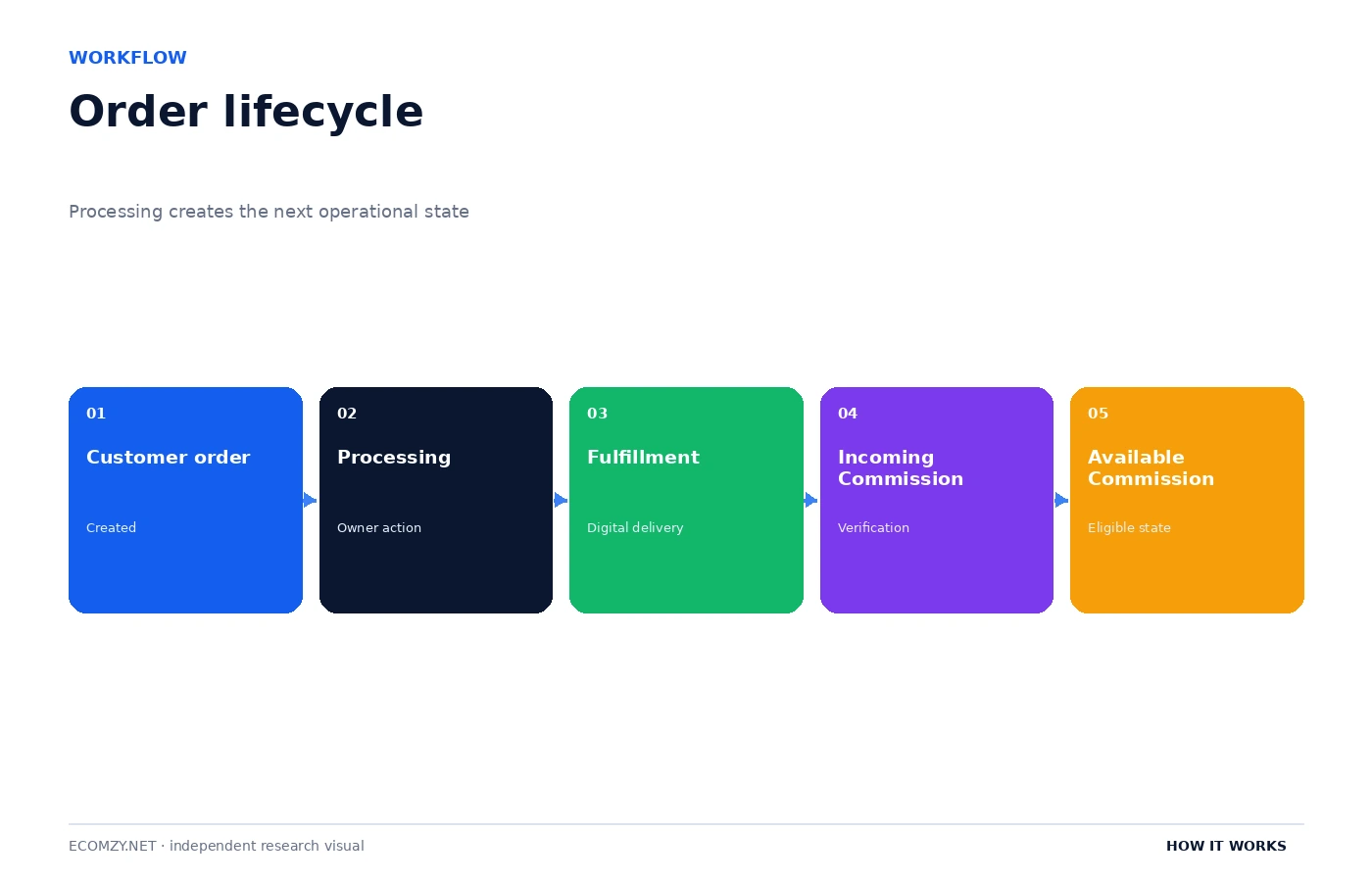
The distinction also affects fee interpretation. The Terms list a separate Auto-Processing Fee range for orders processed through Order Processing Credits. That fee schedule is a pricing question, but the process question is straightforward: if credits are used, the user is activating the optional service and a different fee rule can apply. The Dashboard or checkout disclosure should be read before confirming the action.
4. Order timing is part of the workflow
The current Terms include a Late Processing Charge when fulfillment is delayed because the customer did not confirm order processing within three days. The Terms also say the additional operational steps can include using account Commission to cover order processing fees if an order is not processed within seven days of purchase. These rules make time a first-class part of order management.
A store owner should therefore treat the Orders area as an action queue, not just a history log. New orders need to be reviewed while the processing window is still open. If the order cannot be processed immediately, the user should understand what the Dashboard is showing and what the current Terms say about delayed confirmation. Waiting without checking can create a different operational path than processing on time.
The three-day and seven-day references also show why old screenshots or third-party tutorials can become misleading. A platform can change its processing windows or fees. The current Dashboard disclosure and current Terms should be checked at the time the action is taken. This guide records the September 30, 2026 public rules, not a permanent promise that those numbers will never change.
5. Processing leads into the Commission verification sequence
For the Partner Commission workflow, order processing changes the Commission state. Pending Commission is linked to unprocessed orders. After processing, the associated Commission enters Incoming. The Terms say Incoming Commission remains in that state for up to 72 hours while Ecomzy verifies referred activity, confirms order completion, checks proper attribution and looks for abuse, fraud or policy violations.
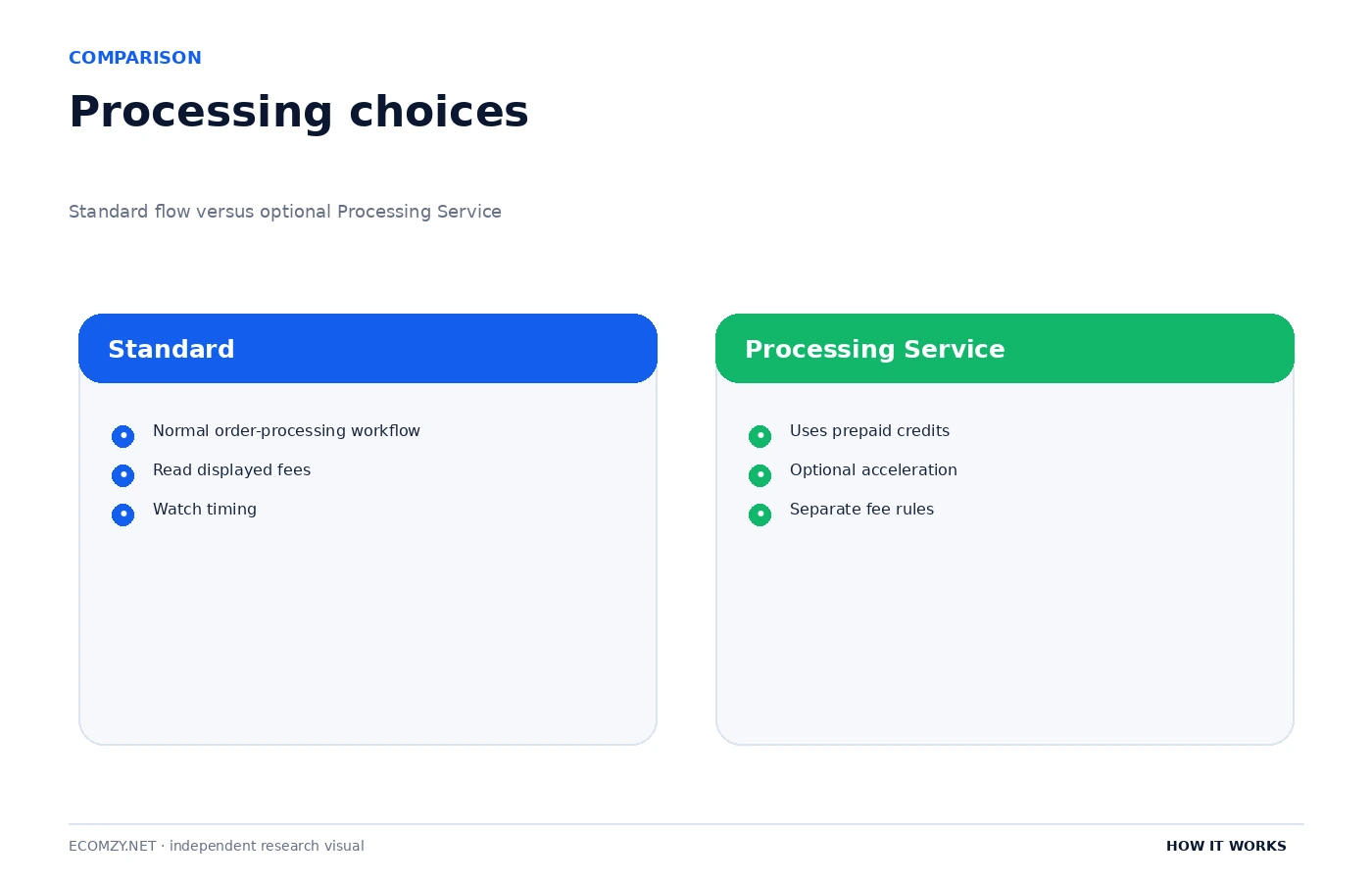
If the verification period concludes successfully, Commission can be reclassified as Available. That does not mean it automatically becomes a bank transfer. Available Commission is simply the state eligible for redemption under the Terms. A separate request and eligibility review still sit between “Available” and an approved payout.
This sequence is useful for troubleshooting. If Commission is still Pending, first check whether the associated order has been processed. If it is Incoming, check when processing completed and whether the 72-hour verification window has elapsed. If it is Available but redemption is unavailable, move to the eligibility checklist described in the Commission article. Each state points to a different next question.
6. Fulfillment is digital, but post-purchase work still exists
The current Fulfillment Policy says Ecomzy offers digital products and services only, so the fulfillment problem is access delivery rather than physical shipping. The Terms give examples such as license or key provisioning, secure hosting or CDN delivery, gated downloads and LMS enrollment where applicable. That does not make fulfillment irrelevant; it changes what “delivery complete” means.
Digital fulfillment can still create support issues: a customer can fail to receive credentials, a download can be inaccessible, a license can fail, or a course enrollment can be delayed. The Terms’ processing-fee description includes customer support for access or download issues and post-purchase care. A store owner monitoring orders should therefore pay attention not only to the initial processing state but also to whether the customer actually received the expected access.
For independent analysis, the safest language is process-based. Ecomzy documents infrastructure and support steps around fulfillment, but exact delivery mechanics can vary by product. A guide should not invent a universal “instant download” rule unless the specific product page says so.
7. Order processing is where fee labels can become confusing
Ecomzy uses several fee labels in the current Terms: Dashboard Processing Fee, Dashboard Service Fee, product Processing Fee, Auto-Processing Fee through credits, Late Processing Charge, Referral Fee in the Ecomzy Payments context, and separate redemption fees. Those labels can sound similar even though they are triggered by different actions.
The best defense is to identify the transaction before looking at the percentage. Is the user purchasing a Dashboard service? Processing a product? Buying Order Processing Credits? Letting an order age into a late-processing rule? Redeeming Commission? Each event has its own section in the Terms. A screenshot showing one percentage should not be generalized to every action that contains the word “processing.”
This article intentionally does not reproduce the entire fee table because that would cannibalize the Pricing Hub and make the workflow harder to read. What matters operationally is that the order path can trigger fees and that the user should verify the specific checkout line items before confirming each paid action.
8. A reliable daily order routine
A simple routine prevents most process ambiguity. Open the Orders area, identify newly created or unprocessed orders, check the active payment model and required action, review any cost disclosure, process the order using the intended method, and then monitor the state until fulfillment and Commission updates are reflected. Document unusual errors or delays before retrying so support can see what happened.
- Review new orders at least once per operating day.
- Separate unprocessed orders from completed history.
- Check whether the order uses the normal process or the optional Processing Service.
- Read all fee line items before confirming a paid processing action.
- Do not treat Order Processing Credits as withdrawable money.
- Watch the timing window for orders that remain unprocessed.
- After processing, verify the order status and the related Commission transition.
- Escalate mismatched or stalled states with timestamps and screenshots rather than repeatedly clicking.
The routine is intentionally boring. Reliable operations usually are. The value is that every order passes through the same checkpoints, so a user can tell the difference between a normal verification delay, a processing problem and a fee or eligibility issue.
9. Processing should be treated as a controlled transaction
Every processing action should have a known order ID, a known method and a known expected next state. That sounds obvious, but it prevents duplicate actions and makes fee reconciliation possible. If a user cannot say which order was processed, how it was processed and what changed afterward, the workflow is too opaque to audit. Treat the action like a transaction even when the interface makes it feel like a simple button.
Before clicking, record the displayed cost or credits, the current status and the time. After clicking, record the resulting status and any confirmation. This tiny amount of discipline is enough to reconstruct most disputes about whether an order was processed twice, whether a credit was consumed, or whether a delayed state began before or after the user acted.
10. State changes are more useful than generic status colors
A green icon, progress bar or “done” label can change in a redesign. The durable concept is the state transition: created, processed, fulfilled, verified. The same is true for Commission. A workflow article should teach the state transition so the reader can still understand the system after the Dashboard visuals change.
When support asks for evidence, state names and timestamps are more useful than statements such as “the box was orange.” Interfaces are visual, but operations are sequential. The user should learn the sequence and use the interface only to identify the current point inside it.
Frequently asked questions
What happens to Commission when an Ecomzy order is processed?
Under the current Terms, Commission associated with an unprocessed order is Pending. After the order is processed, it moves to Incoming for up to 72 hours of verification before it can become Available.
What are Order Processing Credits?
They are prepaid non-cash service units used to initiate Ecomzy’s optional Order Processing Service. The Terms say they are not withdrawable, transferable or refundable and are not a wallet balance.
Can delaying processing create extra charges?
Yes. The current Terms describe a Late Processing Charge when processing is not confirmed within three days and describe additional steps that can include using account Commission for processing fees if an order remains unprocessed within seven days.
Does Ecomzy use physical shipping?
The current Fulfillment Policy says Ecomzy offers only digital products and services, so the relevant delivery workflows are digital.
Is every Ecomzy order paid through the same checkout model?
No. The Terms describe Ecomzy Payments and a Customer-Managed Payments Model, and also describe a Partner Storefront flow connected to Ecomzy Mall. Users should confirm the model active in their account.
Where to go next
- How Ecomzy Works
- How Ecomzy Commission, Redemption and Payout Requests Work
- How the Ecomzy Dashboard Works
- Ecomzy Pricing Hub
Official sources reviewed
This article was checked against Ecomzy’s public documentation on September 30, 2026. Where marketing copy and policy language describe the same topic differently, the distinction is stated instead of silently choosing one version.
Evidence to keep for unusual orders
For any order that does not move normally, save the order ID, creation time, processing time, selected processing method, checkout amount and any error message. If Order Processing Credits were used, record the credit action and resulting status. If the order crosses a late-processing threshold, note the exact elapsed time.
This record helps separate three problems that can otherwise look identical: the order was never processed, the order was processed but fulfillment is still running, or fulfillment completed but the Commission state has not updated. Each requires a different support question.
Avoid repeated processing attempts unless the Dashboard explicitly instructs you to retry. Duplicate clicks can make it harder to understand which action created a fee or which request the system is handling. When the state is unclear, document first and then contact support.
When to stop and ask support
Some order states are not suitable for repeated self-service attempts. Stop and contact Ecomzy support when the Dashboard shows a processing error you cannot reproduce, when an order appears to have been charged but does not advance, when the same order shows conflicting statuses in different parts of the account, or when the related Commission remains inconsistent after the documented verification window. The goal is to prevent a second action from obscuring the first one.
A useful support message should include the order ID, the exact time the user attempted processing, the method used, any fee or credit shown, the status before the action, the status after it, and a screenshot of the relevant Dashboard state. That is far more actionable than saying only that “the order is stuck.” It also gives the user a record that can later be compared with any adjustment or refund decision.
Finally, separate an order-processing delay from a customer-access problem. The order can appear completed in the internal workflow while the customer still reports a missing download, license or course access. Those are different stages and may require different evidence. A complete order routine therefore ends only when the operational status and the expected customer delivery both make sense.
Join the discussion
Share a question, correction or useful experience related to this article. First-time comments may be held for moderation.