
Ecomzy’s marketing layer currently combines platform tools, Performance Tiers and a separate Promotion Service. Those concepts are easy to blur together because all of them can appear under the broad idea of growth. A practical marketing guide should do the opposite: separate access from spending, define a goal before turning on a tool and give every experiment a review date. The Terms currently allow Performance Tier changes based on usage, and the public paid-ads page promotes automated promotion while the Terms explicitly decline to guarantee business outcomes. That makes budget discipline more important than feature count.
1. Start with one measurable business question
Do not start by asking which marketing tool is available. Start by asking what you are trying to learn or improve. Examples include whether a particular product page can attract qualified visits, whether an email audience responds to a category, whether a social-content format generates meaningful store visits or whether paid promotion can produce a cost level you are willing to sustain. The question determines the tool.
A good question has a review period and a decision. “Try social marketing” is vague. “Use the social tool for two weeks to see whether it produces qualified visits to this product group; keep it only if the traffic is useful” is operational. The second version gives you a reason to stop.
2. Check the active Performance Tier before enabling a tool
The current Terms list Basic, Plus, Advanced, Pro and Elite Performance Tiers with different order capacities and tool access. They are supplementary to the underlying PRO subscription and have a separate billing cycle. The Terms also say upgrades can occur automatically based on usage, including activating tools or reaching order-volume thresholds.
Before enabling a feature, identify the minimum tier that supports it and the weekly cost of that tier. This is the marketing equivalent of reading a checkout total. A tool may be useful, but the real decision is whether its incremental recurring cost is justified by the channel you plan to operate.
3. Separate tool access from Promotion Service spending
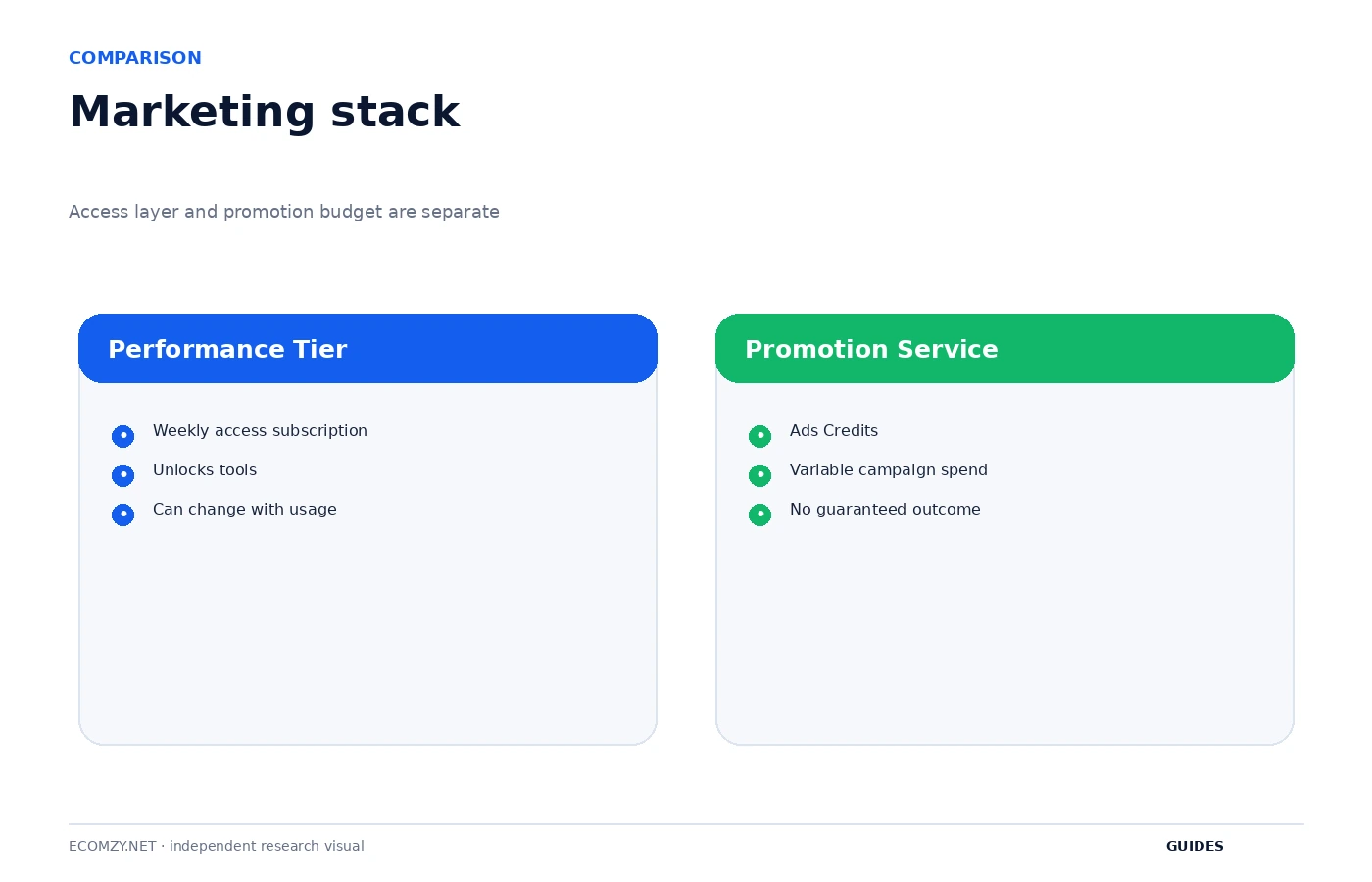
A Performance Tier grants access to platform tools. Ecomzy’s Promotion Service is a different paid layer activated through Ads Credits. The Terms describe Ads Credits as prepaid service credits rather than cash or payment for third-party advertising inventory. Keeping these systems separate in your budget prevents the weekly tier from being mistaken for the total marketing cost.
The public paid-ads page emphasizes automated targeting and promotion across major platforms. The Terms add the important limitation that Ecomzy does not guarantee advertising performance, revenue, profitability or customer acquisition. Budget the service as an experiment with uncertain outcome, not as a purchase of guaranteed sales.
4. Choose a channel that matches the offer
Different products are easier to explain in different channels. A visual planner or template may be suitable for social content. A problem-solving guide may work better with search-oriented content. An existing audience may make email useful. The platform’s available tools should not dictate the channel if the offer and customer intent do not fit.
Choose one primary channel for the initial test and define what a qualified visit looks like. This limits simultaneous variables. If you activate email, social, SEO content and paid promotion on the same day, later performance changes cannot be attributed with any confidence. Controlled sequencing is more useful than maximum tool activation.
5. Set a maximum budget before activation
A marketing budget is a stop condition. Decide the maximum weekly or monthly amount you are willing to spend on the tier plus any promotional service before enabling the experiment. Because Performance Tiers can be billed weekly while PRO is monthly, normalize them into the same period when planning.
The exact fee tables belong in the Pricing Hub. The guide-level rule is simpler: budget every recurring layer and every usage-based service separately. If you cannot explain the difference between the weekly access cost and the variable promotion spend, the campaign is not ready to launch.
6. Define the smallest useful test
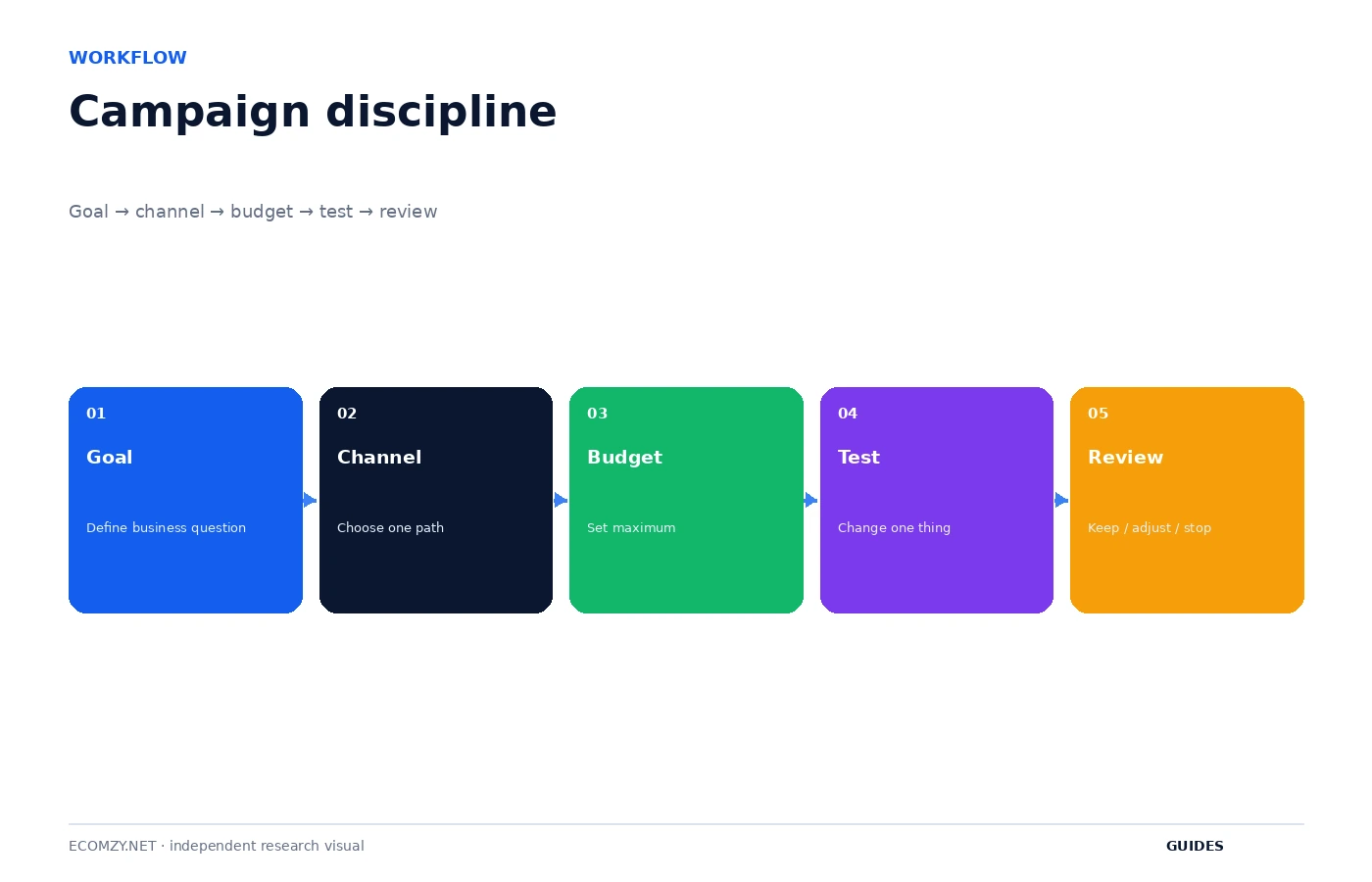
A small test changes one meaningful input. Use one product group, one audience angle or one content format rather than redesigning the store, changing the catalog and activating multiple marketing tools simultaneously. The smaller the test, the easier it is to decide whether the result is worth another cycle.
Write down the start date, active tool or service, product group, budget and intended metric. Use your own store’s historical baseline where possible. The Terms do not provide a guaranteed performance target, so third-party claims about what the platform “should” produce are not a substitute for your account data.
7. Track leading indicators and business outcomes separately
Traffic, clicks, views and engagement are leading indicators. Orders, margin and sustainable customer acquisition are business outcomes. A tool can increase traffic without improving the commercial result. Record both categories so you do not keep a higher tier merely because an activity metric looks impressive.
For an early-stage store, the first useful question may simply be whether the channel brings visitors who explore relevant products. Later, when volume allows, compare cost against completed orders and the store’s economics. The important point is to choose the metric before looking at the result, not after.
8. Review automatic tier changes
If the Performance Tier changes, investigate whether the trigger was order volume or a tool activation. The current Terms allow usage-driven upgrades and say downgrade requests are reviewed for compatibility with current activity and enabled tools. That means a marketing experiment can have a recurring subscription consequence even after the experiment itself ends.
At the end of a test, disable tools you no longer need where appropriate and record the account state. If the higher tier no longer appears necessary, prepare the account for a downgrade request by confirming order volume and active features. This turns marketing cleanup into part of campaign closure.
9. Treat managed promotion as a separate experiment
Do not combine a new Performance Tier tool and a new Promotion Service budget into one test unless you intentionally want to evaluate the combined system. If both change at the same time, you cannot tell which layer produced the observed difference. Stagger the changes and record the dates.
The paid-ads page describes automated optimization, but the Terms make results conditional and non-guaranteed. Review the service against the budget and outcome you defined. If the experiment has no clear objective or review rule, continuing because the service is automated is not a strategy.
10. Build a monthly tool-utilization review
Once a month, list every tool unlocked by the current tier and mark it active, planned or unused. Then list Promotion Service spending separately. If most higher-tier tools are unused, ask whether the tier is being driven by order capacity instead. If neither capacity nor tools justify it, investigate the downgrade path.
The review should end with three decisions: which tool to keep, which tool to stop or postpone, and which single experiment to run next. That produces a disciplined marketing cadence without requiring the owner to use every feature the platform makes available.
Frequently asked questions
Are Performance Tiers included in Ecomzy PRO?
No. Current Terms describe them as supplementary subscriptions with a separate billing cycle.
Can using a tool change my tier?
Yes. The Terms say Performance Tier upgrades can occur based on usage, including enabled tools and order thresholds.
Are Ads Credits the same as a tier subscription?
No. Ads Credits fund the separate Promotion Service.
Does Ecomzy guarantee paid-ad results?
No. Current Terms state that advertising performance and business outcomes are not guaranteed.
Where to go next
- How to Control Ecomzy Costs
- How Ecomzy Marketing Tools and Performance Tiers Work
- Ecomzy Pricing Hub
Official sources reviewed
Keep a campaign decision journal
For every experiment, write one sentence before launch and one sentence after review. The first states why you are running it; the second states what you learned and what you will do next. This prevents the business from accumulating marketing activity without accumulating knowledge.
Review this item on a fixed cadence and record only changes that affect access, money, customer experience or the next operational state. The purpose of the guide is to create a repeatable decision process, not to add more routine work than the store actually needs.
Compare tool utilization with tier cost
A tier can be justified by order capacity, tools or both. Once a month, list which higher-tier features were actually used. If none were used, determine whether order volume still requires the tier. This keeps the subscription decision connected to current operations rather than old intentions.
Review this item on a fixed cadence and record only changes that affect access, money, customer experience or the next operational state. The purpose of the guide is to create a repeatable decision process, not to add more routine work than the store actually needs.
Operating review note
At the end of each review cycle, compare the current account state with the dated baseline you created earlier. Identify what changed, which change was intentional and which object now requires the next action. If a paid or irreversible action is involved, verify the current Dashboard disclosure and current Terms before proceeding.
Keep the record concise. A useful operating note contains a date, object, state, expected next event and action owner. This structure remains useful even if Ecomzy changes menu labels or redesigns the interface because it describes the workflow rather than a particular screenshot.
Operating review note
At the end of each review cycle, compare the current account state with the dated baseline you created earlier. Identify what changed, which change was intentional and which object now requires the next action. If a paid or irreversible action is involved, verify the current Dashboard disclosure and current Terms before proceeding.
Keep the record concise. A useful operating note contains a date, object, state, expected next event and action owner. This structure remains useful even if Ecomzy changes menu labels or redesigns the interface because it describes the workflow rather than a particular screenshot.
Operating review note
At the end of each review cycle, compare the current account state with the dated baseline you created earlier. Identify what changed, which change was intentional and which object now requires the next action. If a paid or irreversible action is involved, verify the current Dashboard disclosure and current Terms before proceeding.
Keep the record concise. A useful operating note contains a date, object, state, expected next event and action owner. This structure remains useful even if Ecomzy changes menu labels or redesigns the interface because it describes the workflow rather than a particular screenshot.
Operating review note
At the end of each review cycle, compare the current account state with the dated baseline you created earlier. Identify what changed, which change was intentional and which object now requires the next action. If a paid or irreversible action is involved, verify the current Dashboard disclosure and current Terms before proceeding.
Keep the record concise. A useful operating note contains a date, object, state, expected next event and action owner. This structure remains useful even if Ecomzy changes menu labels or redesigns the interface because it describes the workflow rather than a particular screenshot.
Operating review note
At the end of each review cycle, compare the current account state with the dated baseline you created earlier. Identify what changed, which change was intentional and which object now requires the next action. If a paid or irreversible action is involved, verify the current Dashboard disclosure and current Terms before proceeding.
Keep the record concise. A useful operating note contains a date, object, state, expected next event and action owner. This structure remains useful even if Ecomzy changes menu labels or redesigns the interface because it describes the workflow rather than a particular screenshot.
Operating review note
At the end of each review cycle, compare the current account state with the dated baseline you created earlier. Identify what changed, which change was intentional and which object now requires the next action. If a paid or irreversible action is involved, verify the current Dashboard disclosure and current Terms before proceeding.
Keep the record concise. A useful operating note contains a date, object, state, expected next event and action owner. This structure remains useful even if Ecomzy changes menu labels or redesigns the interface because it describes the workflow rather than a particular screenshot.
Operating review note
At the end of each review cycle, compare the current account state with the dated baseline you created earlier. Identify what changed, which change was intentional and which object now requires the next action. If a paid or irreversible action is involved, verify the current Dashboard disclosure and current Terms before proceeding.
Keep the record concise. A useful operating note contains a date, object, state, expected next event and action owner. This structure remains useful even if Ecomzy changes menu labels or redesigns the interface because it describes the workflow rather than a particular screenshot.
Operating review note
At the end of each review cycle, compare the current account state with the dated baseline you created earlier. Identify what changed, which change was intentional and which object now requires the next action. If a paid or irreversible action is involved, verify the current Dashboard disclosure and current Terms before proceeding.
Keep the record concise. A useful operating note contains a date, object, state, expected next event and action owner. This structure remains useful even if Ecomzy changes menu labels or redesigns the interface because it describes the workflow rather than a particular screenshot.
Operating review note
At the end of each review cycle, compare the current account state with the dated baseline you created earlier. Identify what changed, which change was intentional and which object now requires the next action. If a paid or irreversible action is involved, verify the current Dashboard disclosure and current Terms before proceeding.
Keep the record concise. A useful operating note contains a date, object, state, expected next event and action owner. This structure remains useful even if Ecomzy changes menu labels or redesigns the interface because it describes the workflow rather than a particular screenshot.
Operating review note
At the end of each review cycle, compare the current account state with the dated baseline you created earlier. Identify what changed, which change was intentional and which object now requires the next action. If a paid or irreversible action is involved, verify the current Dashboard disclosure and current Terms before proceeding.
Keep the record concise. A useful operating note contains a date, object, state, expected next event and action owner. This structure remains useful even if Ecomzy changes menu labels or redesigns the interface because it describes the workflow rather than a particular screenshot.
Operating review note
At the end of each review cycle, compare the current account state with the dated baseline you created earlier. Identify what changed, which change was intentional and which object now requires the next action. If a paid or irreversible action is involved, verify the current Dashboard disclosure and current Terms before proceeding.
Keep the record concise. A useful operating note contains a date, object, state, expected next event and action owner. This structure remains useful even if Ecomzy changes menu labels or redesigns the interface because it describes the workflow rather than a particular screenshot.
Join the discussion
Share a question, correction or useful experience related to this article. First-time comments may be held for moderation.