
Quick Answer: Ecomzy is currently positioned as a managed ecommerce platform for solopreneurs rather than a blank website builder. Its public pages describe a ready-made, mobile-optimized store, preloaded digital products, built-in checkout, a domain option, analytics and support. The important setup work is therefore less about installing software and more about verifying the store identity, product mix, checkout, domain, analytics and marketing workflow before traffic is sent to the site.
What “store setup” means on Ecomzy
On a traditional ecommerce stack, setup can mean choosing hosting, installing software, connecting a theme, adding payment gateways and building product pages from scratch. Ecomzy’s current public offer takes a different approach. The company describes the store as ready-made and professionally configured, with digital products and core operating tools already integrated.
That changes the owner’s job. Instead of assembling infrastructure, the owner should verify that the supplied infrastructure matches the business they intend to run. A fast launch is useful only if the domain, product selection, checkout and tracking are correct.
Step 1: understand the current offer before signup
Ecomzy’s current pricing page advertises Ecomzy PRO at $39 per month after a 14-day free trial. It lists an online store and hosting, domain, SSL certificate, built-in payments, fraud protection, dashboard, advanced analytics and priority support. The same page says the subscription renews automatically until canceled.
Because pricing pages can change, verify the live checkout before entering payment information. Record the trial length, renewal price and any optional services separately. This prevents a setup decision from being based on an older review or screenshot.
Step 2: define the store identity
A ready-made store still needs a coherent identity. Decide what customer problem the store is built around, which product categories belong together, and what promise the homepage should make. A store with dozens of unrelated digital products can look busy without giving a visitor a clear reason to stay.
- Choose a store name that is easy to spell and remember.
- Define one primary customer type.
- Select a narrow group of product categories for the initial launch.
- Write a one-sentence value proposition.
- Decide which products deserve homepage prominence.
Step 3: verify the domain
Ecomzy says a domain is included in its PRO offer and that users can also use an existing domain. Before launch, check the exact public URL, confirm that HTTPS loads correctly, and make sure the preferred domain redirects consistently. A store should not have several competing versions of the same homepage.

Step 4: review the storefront on mobile first
Ecomzy promotes its stores as mobile optimized. Verify that claim on the actual store you receive. Open the homepage, category pages, product pages, cart and checkout on a phone. Check text size, button spacing, image cropping and whether any element requires horizontal scrolling.
Mobile review should happen before desktop polishing because paid and social traffic frequently arrives on phones. A beautiful desktop hero does not compensate for a difficult mobile checkout.
Step 5: audit the preloaded product catalog
Ecomzy’s current homepage describes digital products across multiple categories and says products are delivered digitally rather than shipped. Treat the supplied catalog as a starting inventory of offers, not as a requirement to promote everything at once.
Review each product that will be visible at launch. Confirm the title, price, description, imagery, category and what the buyer receives. Remove or de-emphasize items that do not fit the store’s positioning. The goal is a coherent storefront, not the largest possible catalog.
Step 6: check product economics
Ecomzy’s current homepage presents a revenue-share style model for its catalog and shows examples where the store owner keeps a portion of a sale. Do not generalize one example to every product. Record the actual economics of the products you intend to promote and use those values when deciding how much traffic you can afford to buy.
A simple worksheet should contain retail price, owner share or commission, advertising cost per order, subscription allocation and any payout cost. This gives you a contribution figure before you scale.
Step 7: test checkout yourself
Ecomzy’s pricing page describes built-in payments and support for major payment methods. Before sending traffic, inspect the checkout from a customer’s perspective. Confirm the product name and price, required fields, payment methods, mobile layout and post-purchase instructions.
If the platform provides a safe test mode or preview workflow, use it. Do not create artificial live transactions merely to produce a screenshot. The objective is to verify the legitimate checkout path without creating misleading sales data.
Step 8: verify digital delivery
A digital store succeeds or fails at the moment after payment. The buyer should know what was purchased and how access is delivered. Check the product description for delivery expectations and verify any confirmation or access instructions available to the store owner.
Step 9: configure analytics before promotion
Ecomzy lists advanced analytics as part of its current PRO offer. Start collecting baseline data before increasing traffic. At minimum, track visits, product views, checkout activity, orders and the source of traffic when that information is available.
Do not optimize from a single metric. More visits are not automatically better if product views or orders do not rise. A useful operating habit is to compare traffic, conversion behavior and order economics together.
Step 10: understand the marketing layer
Ecomzy’s current homepage heavily emphasizes built-in promotion and AI influencers. That is a meaningful change from a simple storefront-only model. Before relying on those tools, identify exactly what is active in your account, what content or promotion is included, what requires additional spend, and how results appear in the dashboard.
Marketing automation should not remove measurement. Record a baseline before activating a campaign, change one major variable at a time when possible, and compare orders rather than judging performance from impressions alone.
Step 11: use the Growth Manager strategically
Ecomzy’s public pages describe personal support and a Growth Manager. Use that access for specific questions rather than broad requests such as “How do I grow?” Bring numbers: which products receive traffic, where visitors drop off, what budget is being used, and what outcome you want to improve.
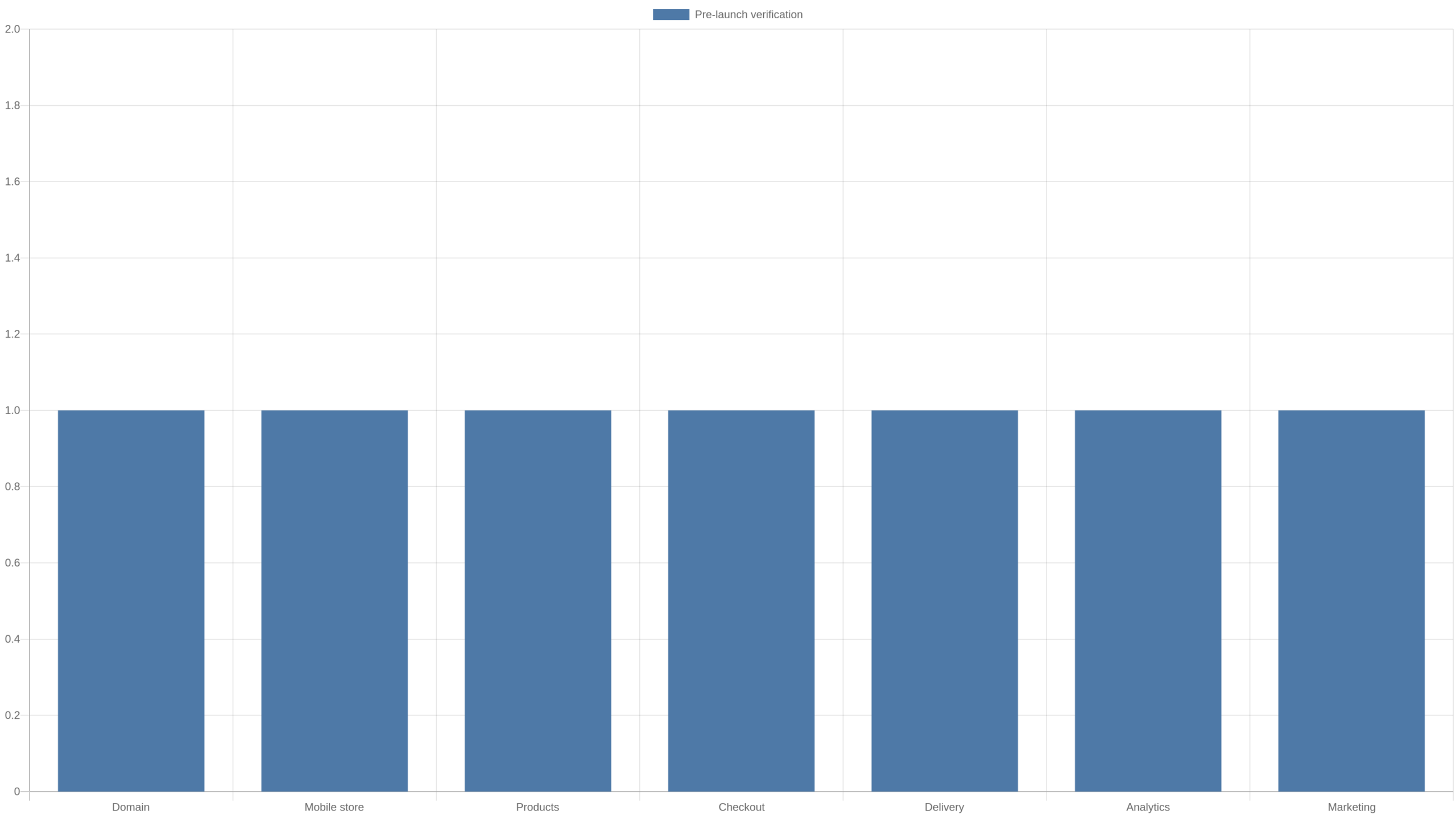
A pre-launch verification table
| Area | What to verify | Launch blocker? |
|---|---|---|
| Domain | Correct URL, HTTPS, consistent redirect | Yes |
| Mobile store | Readable pages, usable buttons, no overflow | Yes |
| Products | Correct titles, prices, descriptions and fit | Yes |
| Checkout | Correct product/price and clear payment flow | Yes |
| Delivery | Buyer knows how digital access works | Yes |
| Analytics | Baseline metrics available | Strongly recommended |
| Marketing | Budget, source and measurement understood | Before paid scaling |
Do not confuse “ready-made” with “ready to scale”
A ready-made store can shorten technical setup, but scaling is a separate decision. Before increasing ad spend, confirm that the store converts at a level that supports the product economics. If the first traffic does not convert, more traffic may simply make the same problem more expensive.
Create a baseline week
Use the first meaningful traffic period as a baseline. Record visits, product views, orders, average order value, advertising spend and the owner share or commission generated. The baseline does not need to be impressive. It needs to be accurate enough that later changes can be evaluated.
Change one major variable at a time
If you change the homepage, product selection, pricing emphasis and traffic source simultaneously, you will not know what caused the result. A more disciplined setup process changes one major variable, observes enough traffic to learn something, then records the outcome.
Keep subscription economics in the model
The current PRO price is a recurring operating cost after the trial. Include it when evaluating profitability, even if the first days are free. A store that earns a positive contribution before subscription cost may still be negative after all recurring expenses are included.
Know what the trial is for
A 14-day trial is most valuable as a structured evaluation window. Use it to inspect the store, product catalog, dashboard, checkout, analytics and support. Write down what is included and what requires an additional purchase. Do not wait until the final day to decide whether the platform fits your intended workflow.
A seven-day setup plan
- Day 1: verify account, subscription terms and store identity.
- Day 2: review domain, mobile storefront and navigation.
- Day 3: audit products and choose the launch assortment.
- Day 4: inspect checkout and digital delivery expectations.
- Day 5: establish analytics and baseline reporting.
- Day 6: review marketing tools and prepare one controlled traffic test.
- Day 7: run the pre-launch checklist and fix blockers before scaling.
What we verified for this guide
We checked Ecomzy’s current public homepage, pricing page and ecommerce-store page. Those pages currently describe a ready-made digital-product store, a 14-day trial, a $39/month PRO subscription, hosting, domain options, SSL, built-in payments, analytics, support and a marketing layer that includes AI-influencer positioning. Some older or separate Ecomzy terms pages describe additional packages and services, so this guide does not assume that every historical offer is part of the base PRO subscription. Always confirm the live checkout and account interface for the offer you are actually using.
Common setup mistakes
- Promoting the entire catalog without a clear store theme.
- Sending paid traffic before checking the mobile checkout.
- Assuming a marketing feature is active without verifying the account.
- Judging performance only from visits or impressions.
- Ignoring the recurring subscription in profitability calculations.
- Making several major changes at once and losing the ability to learn from results.
FAQ
Does Ecomzy require coding?
Ecomzy’s current public offer is positioned as a ready-made store that does not require coding or technical setup for the core storefront.
Does Ecomzy include hosting?
The current pricing page lists online store and hosting as included with Ecomzy PRO.
Can I use my own domain?
Ecomzy’s pricing FAQ says users can purchase a domain within Ecomzy or use an existing domain they own.
Are the products physical?
Ecomzy’s current main-site positioning emphasizes digital products with online delivery and no inventory or shipping requirement.
Should I activate paid promotion immediately?
First verify the store, checkout, product economics and measurement. A controlled traffic test is more useful than scaling before you know whether the funnel works.
Build a product-selection scorecard
When a store arrives with products already loaded, selection becomes more important than addition. Score candidate products on four factors: relevance to the store theme, clarity of the customer problem, price fit for the intended audience, and the economics available to the store owner. A product that scores poorly on relevance can weaken the storefront even if its standalone economics look attractive.
Start with a small featured set. A visitor should be able to understand the store within seconds. Additional products can remain accessible through categories without competing for the homepage’s limited attention.
Check the customer journey end to end
Review the store as a sequence rather than a collection of pages: landing page, category or search, product page, cart, checkout, confirmation and digital access. At each step ask what the customer needs to know to move forward. If a product page creates a promise that the delivery step does not explain, fix the mismatch before promotion.
Also test navigation in the opposite direction. A customer who lands directly on a product page from an ad should still be able to identify the store, understand the offer and reach support or policy information without returning to the homepage first.
Create an operating-cost sheet
List every recurring or variable cost associated with the store: base subscription, optional services, advertising, payment or redemption costs where applicable, and any external tools you add. Keep this sheet separate from revenue. A managed platform can reduce the number of external services required, but that benefit should be measured rather than assumed.
Update the sheet whenever you activate a new service. Small recurring charges are easy to ignore individually and significant in aggregate. A clean cost sheet also makes it easier to decide whether an optional tool is producing enough value to keep.
Define a launch metric before buying traffic
Choose one primary launch metric, such as completed orders per 100 qualified visits, and two supporting metrics such as product-view rate and checkout-start rate. This prevents the first campaign from becoming a collection of vanity numbers. If visits rise but product views do not, the landing experience may be the issue. If product views rise but checkout starts do not, the offer may need attention.
Treat AI-influencer tools as a channel, not a guarantee
Ecomzy’s current homepage makes AI influencers a prominent part of its marketing proposition. The practical way to evaluate that feature is the same way you would evaluate any acquisition channel: identify what content is produced, where it is distributed, how traffic is attributed, what it costs, and whether the resulting visitors convert. Automation can reduce production work, but it does not remove the need for measurement.
Keep organic and paid results separate when the dashboard allows it. If several channels run simultaneously, record start dates so changes in traffic and orders can be connected to the correct activity.
Prepare support and policy pages before launch
A store selling digital products should make customer expectations easy to find. Check contact information, refund or return policy, privacy information, terms and any product-specific access conditions. The exact policies depend on the platform and product, so do not copy generic text from another store without checking whether it applies.
Run a final launch review from another device
Before calling the store ready, open it on a device and network that were not used during setup. This catches cached pages, logged-in-only assumptions and mobile layout issues that can be invisible to the owner. Follow the same path a new visitor would take and write down anything that causes hesitation.
The final review should end with a simple decision: launch, launch with a documented minor issue, or block launch until a critical problem is fixed. Domain errors, broken checkout, incorrect prices and unclear digital delivery are blockers. Minor copy preferences usually are not.
Document the store before the first campaign
Take a small set of baseline screenshots after setup is complete: homepage, one representative product page, cart or checkout preview, dashboard overview and analytics baseline. These are not marketing assets. They are an operating record. If conversion changes after a redesign or catalog update, you can compare the new experience with the version that produced the earlier data.
Write down the date, featured products, active promotion channels and any major settings beside the screenshots. A month later, this record can explain a performance change that would otherwise look mysterious.
Set a weekly store-maintenance routine
A managed store still benefits from a short weekly review. Check the public homepage and checkout, scan the product catalog for changes, review traffic and orders, confirm active marketing activity, and note any support issues. The routine can take less than an hour when nothing is wrong, but it prevents small errors from remaining unnoticed for weeks.
Once a month, add a deeper review of subscription costs, product economics and the store’s positioning. Remove products that no longer fit the niche and identify which pages or offers deserve the next controlled improvement.
Decide what success looks like after 30 days
Before launch, define the 30-day decision criteria. These can include a minimum amount of qualified traffic, evidence that checkout works, a target range for product-view and checkout-start rates, and a maximum acceptable acquisition cost. The objective is not to guarantee profit in 30 days. It is to collect enough clean information to decide what should be improved next.
If the store receives too little traffic to evaluate, the next problem is acquisition. If traffic is adequate but product engagement is weak, revisit positioning and selection. If customers reach checkout but do not complete it, investigate checkout friction and offer clarity. A defined review framework turns the first month into a learning cycle rather than a pass/fail verdict.
Create a launch decision log
Keep a short record of every meaningful change made during the first month: date, change, reason, metric expected to improve and the result observed. Examples include replacing a featured product, changing homepage emphasis, activating a marketing channel or adjusting the product mix. This prevents the store from becoming a series of undocumented experiments.
The log is especially useful when several platform tools are available at once. Instead of activating everything because it exists, introduce changes deliberately and preserve enough time between them to learn from the data.
Know when setup is actually finished
Setup is complete when a new visitor can reach the correct domain, understand the store, find a relevant product, move through checkout, understand digital delivery and reach support or policy information without encountering a critical error. Analytics should also be collecting enough information to evaluate what happens after launch.
Perfection is not the finish line. A store can launch with copy that will later be improved or with a small catalog that will expand. Broken checkout, wrong prices, unclear delivery, domain problems and missing customer-facing policies are different: they should be fixed before meaningful traffic is sent.
Takeaway
Ecomzy can reduce the technical work required to get a store online, but the owner still needs a disciplined launch process. Verify the domain, mobile storefront, product mix, checkout, delivery, analytics and marketing economics before scaling. The advantage of a ready-made system is speed; the way to preserve that advantage is to spend the saved setup time on validation and measurement rather than skipping them.
Join the discussion
Share a question, correction or useful experience related to this article. First-time comments may be held for moderation.