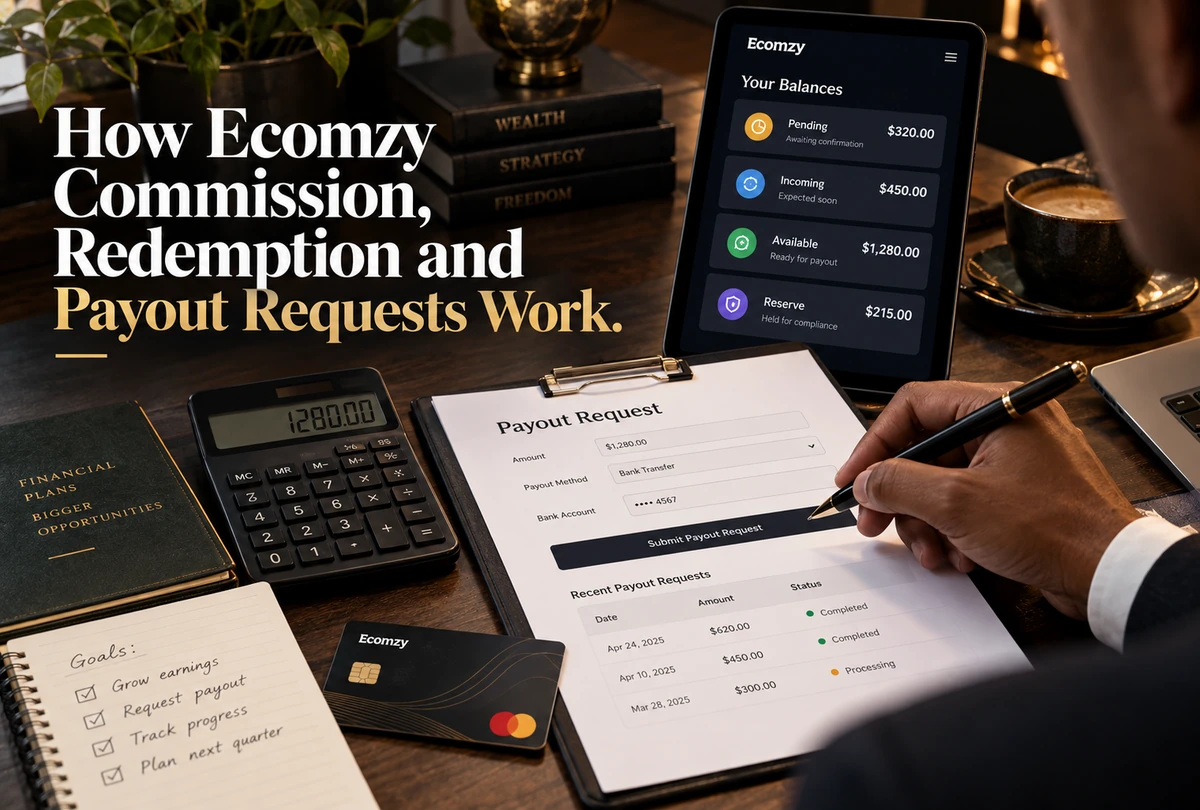
Ecomzy’s current Terms use precise language for Commission because it is not treated as ordinary customer money sitting in a wallet. Commission is defined as an internal, non-cash promotional incentive funded by Ecomzy. It moves through Pending, Incoming and Available states, and only after a valid redemption request is approved does it become payable under the payout process. This guide explains that state machine, the eligibility gates around redemption, the minimum request thresholds, the role of order completion and identity checks, and the difference between an Available Commission number on the Dashboard and an approved transfer.
1. Start with Ecomzy’s definition of Commission
The current Terms define Commission as an Ecomzy-funded promotional incentive associated with qualified Partner activity such as referred traffic, conversions attributed to Partner Storefront performance or other actions defined by Ecomzy’s Partner Programs. The same section explicitly says Commission is not customer money, sales revenue, a deposit account, stored value, electronic money, escrow or funds held on behalf of the Partner.
That definition is not fine print that can be ignored when reading the Dashboard. It determines what the states mean. A Pending, Incoming or Available Commission figure should not be described as a bank balance or customer funds. Ecomzy says it remains an internal incentive and does not create a debt or custodial relationship simply because a number is visible in the account.
The Terms also say Ecomzy is not a financial institution and does not provide money transmission, stored-value accounts, wallets, escrow or custodial services. Whether a reader likes or dislikes that model is a separate evaluation question. For understanding the workflow, the critical point is that the platform’s own contract treats Commission as a conditional promotional incentive until payout approval.
2. Pending Commission is tied to unprocessed orders
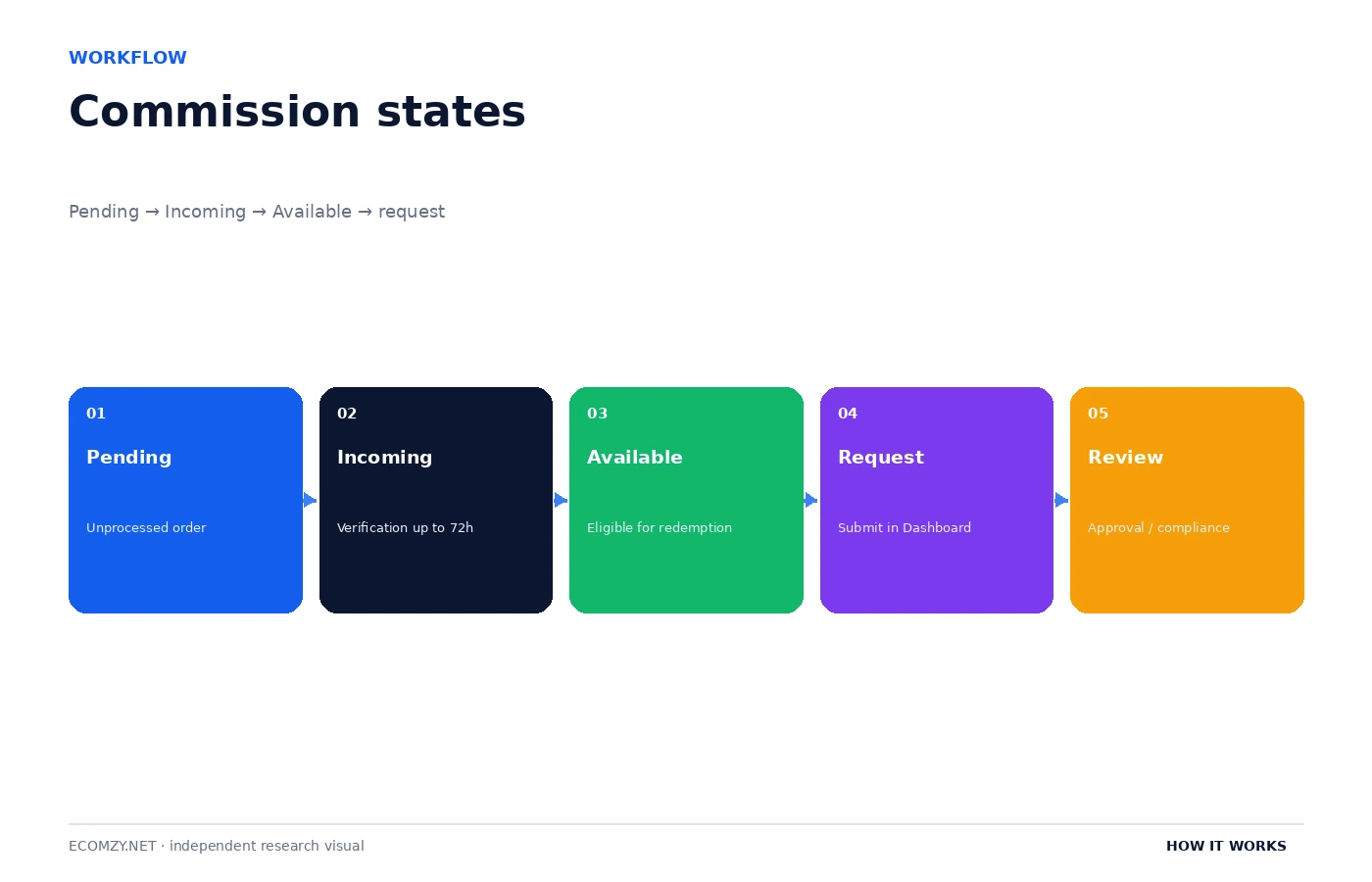
Pending is the first Commission state defined in the Terms. It includes Commission from unprocessed orders. That creates a direct operational dependency: if the underlying order has not been processed, the related Commission should not be expected to progress to the next verification state.
This relationship is why a user troubleshooting “Commission stuck in Pending” should start in the Orders area, not the payout screen. Check whether the associated orders have been fully processed, whether any processing action is still waiting, and whether the Dashboard shows an error or incomplete status. The Commission screen is reflecting an upstream order state.
The Terms do not say every Pending amount will automatically become Available. Processing moves the item into Incoming, but that state is still subject to verification. Pending should therefore be read as “not yet through the order-processing gate,” not as a guaranteed future payout.
3. Incoming Commission is a verification state of up to 72 hours
Once the associated order is processed, the Terms say Commission moves to Incoming. Incoming remains in that state for up to 72 hours while Ecomzy verifies referred activity, confirms order completion, checks proper attribution and detects or prevents abuse, fraud or platform-policy violations. The 72-hour period is one of the clearest timing rules in the current Commission section.
A user should distinguish “up to 72 hours” from “exactly 72 hours.” The wording creates a maximum stated verification period for the normal state, not a promise that every item will remain there for three full days. Conversely, the Terms also reserve rights to deny, delay, adjust, suspend or reverse payout requests in cases involving suspected fraud, traffic manipulation, chargebacks, disputes, policy violations or unresolved account issues. Exceptional cases can therefore involve more than a simple timer.
The most useful operational habit is to record when the associated order was processed. Without that timestamp, a user can only guess whether Incoming has been present for ten minutes or several days. A screenshot showing the order status and Commission state together is more useful for support than a screenshot of the Commission amount alone.
4. Available Commission is eligible for redemption, not automatically payable
After the Incoming verification period concludes, qualifying Commission can be reclassified as Available. The Terms say Available Commission represents Ecomzy-funded promotional incentives eligible for redemption. They also say that until a valid payout request is submitted and all applicable eligibility conditions are satisfied, Available Commission remains Ecomzy’s promotional incentive and property.
That is a stronger limitation than many users expect from the word “Available.” In ordinary banking language, available funds are usually immediately spendable. Here, “Available” is a platform state meaning the item has passed the Pending and Incoming stages and can enter the redemption workflow. It still has to satisfy the request rules and receive approval.
This distinction is why independent guides should avoid phrases like “your money becomes available after 72 hours.” That wording changes the contractual meaning. A more accurate sentence is: after verification, Commission can become Available and eligible for redemption under the Terms.
5. Redemption has several gates
The current Commission Payouts Policy lists conditions that must be met before Available Commission can be redeemed. The PRO subscription must be active and fully paid at the standard plan rate. All orders associated with the Partner Storefront must be fully processed. The request must meet the applicable minimum. The payout can also be subject to compliance reviews and identity verification for tax reporting, fraud prevention or payment-processing compliance.
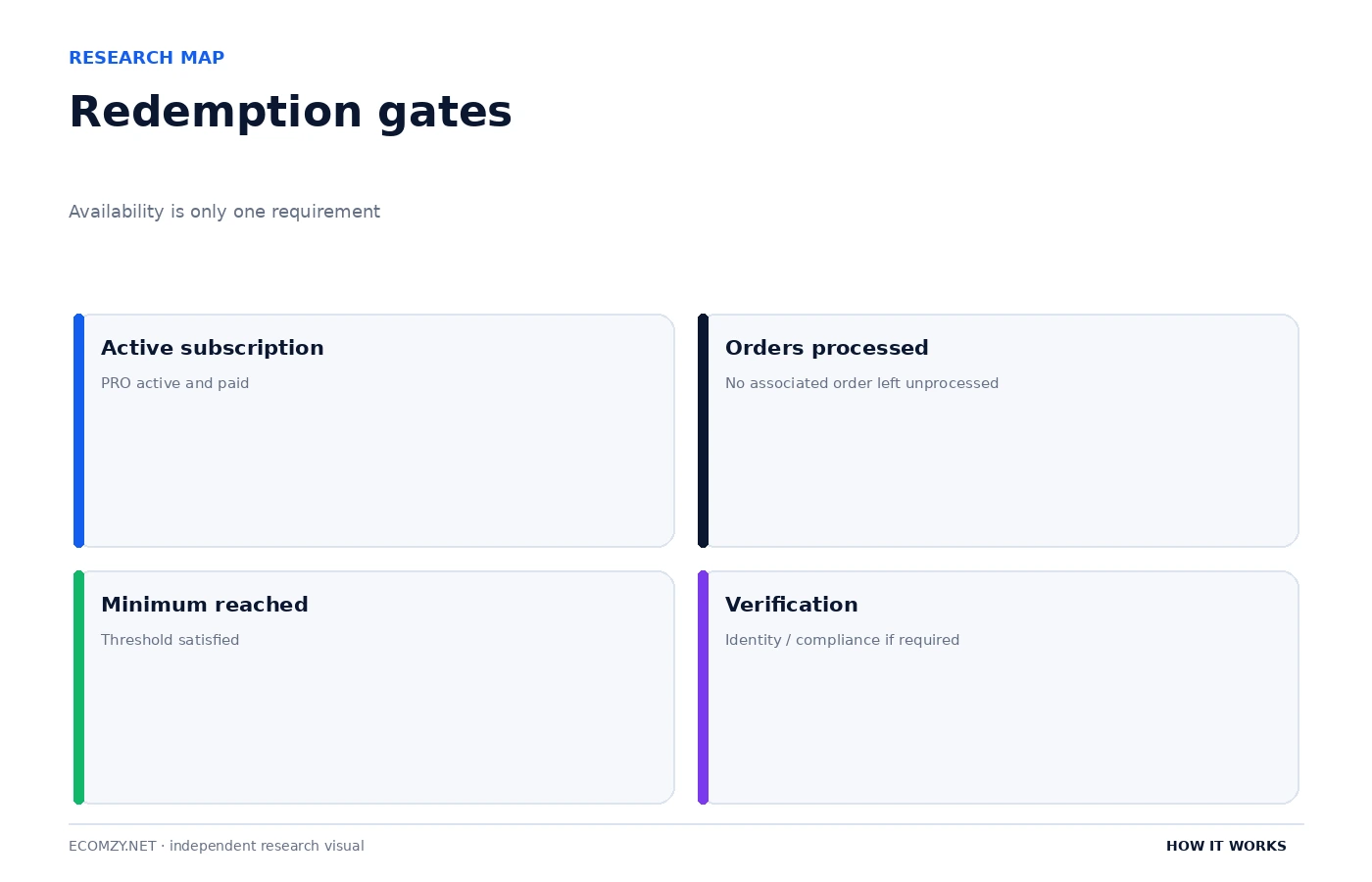
The minimum is currently $100 for U.S. residents and $300 for residents of all other countries. That geographic difference matters because a user can have Available Commission and still be below the request threshold. The Dashboard may therefore correctly show an Available amount while withholding a redemption action until the minimum or another eligibility requirement is met.
The subscription condition also matters. Because the payout policy requires an active and fully paid subscription at the standard plan rate, cancellation or an unresolved subscription issue can affect redemption even when the Commission itself has already reached Available status. This is another example of two platform layers interacting: the Commission state and the subscription state.
6. The request begins in the Dashboard
Ecomzy’s Terms say Partners request a payout by opening the Dashboard, selecting the Redeem Commission option and completing the on-screen steps. The Dashboard is therefore the official request interface, not merely a place to view Commission. The exact form can change over time, so screenshots from older guides should not be treated as permanent UI documentation.
A careful request workflow is to confirm Available Commission, confirm the subscription is active and paid, confirm all relevant orders are processed, check the minimum threshold, select the transfer method, review the displayed fee and net amount, complete any identity or tax steps, and then submit. The user should save the confirmation or request ID if one is provided.
If the Dashboard blocks submission, the correct response is not to keep changing transfer methods at random. Determine which eligibility gate is failing. A missing verification document, an unprocessed order and an amount below the minimum are different problems and require different fixes.
7. Transfer methods have separate fees, but the fee table is not the workflow
The current Terms list several redemption routes, including ACH, International Wire, Express ACH and Express International Wire, plus the option to apply Commission toward Ads Credits or Order Processing Credits under their respective rules. Each route has its own fee structure and minimum fee. Those numbers are important for cost comparison, but they should not dominate a process article.
The workflow is the same at a higher level: Commission becomes Available, the user satisfies eligibility, chooses a permitted redemption route, reviews the displayed cost, submits the request, and waits for approval and transfer through the applicable third-party provider. The exact fee percentage and minimum are pricing data that can be updated independently. For that reason, the Pricing Hub should be used when comparing routes.
One detail is worth retaining here: the Terms say all payout transfers are executed through third-party payment providers and that Ecomzy does not hold or transmit customer funds. That is consistent with the broader contractual definition of Commission as an Ecomzy-funded incentive rather than a customer-wallet balance.
8. Denial, delay, adjustment and reversal are part of the documented policy
Ecomzy reserves the right to deny, delay, adjust, suspend or reverse Commission payout requests under specified circumstances, including suspected fraud, traffic manipulation, chargebacks, disputes, policy violations and unresolved account issues. That clause means a successful move to Available does not eliminate all later review.
For users, the practical implication is documentation. Keep order records, traffic or campaign records where relevant, communication with support, and evidence that required processing steps were completed. If a payout request is questioned, the user is in a better position to respond with a timeline than with a general statement that the amount “showed as available.”
The same clause is a reason not to promise payout approval in third-party content. An independent article can explain the conditions and normal path, but approval is an account-specific decision controlled by Ecomzy under its current Terms. The correct wording is conditional: an eligible Available Commission amount can be submitted for redemption and becomes payable if the request is approved.
9. Troubleshooting by state
The fastest way to investigate a Commission problem is to start from the current state. Pending points upstream to order processing. Incoming points to the verification window or an account review. Available but not redeemable points to subscription status, order completion, minimum threshold or verification requirements. Submitted but unpaid points to the payout review and transfer stage. Each state narrows the set of likely causes.
- Pending too long: verify the associated order was actually processed.
- Incoming beyond the expected window: record the processing time and contact support with the order and Commission details.
- Available but button unavailable: check plan status, processed orders, minimum threshold and verification.
- Request submitted but delayed: review any compliance message, identity request or support communication.
- Net amount unexpected: compare the chosen redemption route with the current fee disclosure before resubmitting.
This state-based method is more reliable than treating every Commission issue as a “payout problem.” Most of the time, the next action is determined by where the item sits in the documented lifecycle.
10. Available should be interpreted as a permissions state
The word Available can be understood as a permission: this Commission has cleared the earlier Pending and Incoming gates and may now enter the redemption process. That interpretation is more accurate than treating it as a cash-balance label because the Terms still attach eligibility and approval conditions. Thinking in permissions also explains why a visible amount and an enabled payout action are not always identical.
The permission model also helps separate Commission from credits. Ads Credits and Order Processing Credits grant access to prepaid services and cannot be redeemed as money. Available Commission can enter the redemption process but remains conditional until approval. These are different objects even when all of them are shown with numeric values inside the same account.
11. Why geographic minimums matter operationally
The $100 U.S. and $300 non-U.S. thresholds can change the user’s cadence. A non-U.S. user may need to accumulate more Available Commission before the Dashboard permits a request. That affects planning even if the underlying Commission state is healthy. The threshold is therefore not merely a fee-table detail; it controls when the next workflow action becomes possible.
Users should verify how Ecomzy determines residency and whether any account-profile or compliance document is required to support it. The public Terms state the thresholds but do not justify guessing an account’s classification from an IP address, payment card or mailing location. If the displayed minimum differs from expectation, the correct next step is support or the current Dashboard disclosure.
Frequently asked questions
How long does Incoming Commission stay in Ecomzy?
The current Terms say up to 72 hours while Ecomzy verifies activity, order completion, attribution and compliance.
What is the minimum Ecomzy Commission redemption?
The current Terms state $100 for U.S. residents and $300 for residents of all other countries.
Is Available Commission the same as cash in a bank account?
No. Ecomzy’s Terms define Commission as an internal non-cash promotional incentive. Available means eligible for redemption, subject to the request and approval conditions.
Do all orders need to be processed before redemption?
The current payout policy says all orders associated with the Partner Storefront must be fully processed.
Can Ecomzy delay or deny a payout request?
Yes. The Terms reserve that right in cases such as suspected fraud, traffic manipulation, chargebacks, disputes, policy violations or unresolved account issues.
Where to go next
- How Ecomzy Orders and Order Processing Work
- How the Ecomzy Dashboard Works
- Ecomzy Pricing Hub
- How Ecomzy Works
Official sources reviewed
This article was checked against Ecomzy’s public documentation on September 30, 2026. Where marketing copy and policy language describe the same topic differently, the distinction is stated instead of silently choosing one version.
Before submitting a redemption request
Check the state of every related order, not only the Commission total. Confirm the active plan is fully paid, verify the applicable geographic minimum, and review whether the account has any outstanding compliance or identity request. Then compare the available transfer methods by both percentage fee and minimum fee.
Save the request confirmation and the amount requested before any fee. This creates a clean reference if the final received amount differs from what you expected. Keep the date and transfer method with the record because payout timing and support investigation depend on the route used.
If a request is delayed, ask for the current review status rather than simply asking “where is my money?” The Terms make clear that the payout is an approval process. A precise support message should identify the request, the date, the amount, the selected method and any verification step already completed.
How to document a Commission discrepancy
If the amount or state in the Dashboard does not match what you expect, capture the evidence before opening a support case. Record the associated order ID, the order-processing time, the Commission amount, the current state, the date the state first appeared, the active subscription status and any redemption message shown by the Dashboard. If the issue concerns a submitted payout request, include the request date, method and confirmation reference.
This turns a vague complaint into a state-reconciliation question. Support can compare the order event, verification period, account eligibility and request history instead of trying to reconstruct the case from a single screenshot. It also protects the user from confusing two separate Commission items that happen to have similar amounts.
Do not edit screenshots in a way that removes timestamps, order references or relevant status labels. A clean chronological record is usually more useful than a heavily annotated image. Keep original files and use notes separately to explain what you believe should have happened.
Final verification before requesting a payout
Before submitting a redemption request, perform one final reconciliation between the Commission screen and the orders that generated it. Confirm that the relevant orders are fully processed, that no related item remains in Pending or Incoming status, and that the Available Commission amount shown in the Dashboard matches the amount you intend to request. Also confirm that the underlying PRO subscription is active and fully paid and that the account meets the applicable minimum redemption threshold.
Review any identity, tax or compliance requests before choosing the transfer method. Then compare the amount requested, the displayed redemption fee and the expected net transfer. Save the confirmation screen or request reference after submission. This creates a dated record of what the Dashboard displayed when the request was made and makes a later support investigation much easier if the transfer amount, status or timing differs from what was expected.
A payout workflow should therefore be treated as a sequence of verified states rather than a single withdrawal button: orders processed, Commission verified, eligibility confirmed, transfer method reviewed, request submitted and payout approved.
Join the discussion
Share a question, correction or useful experience related to this article. First-time comments may be held for moderation.