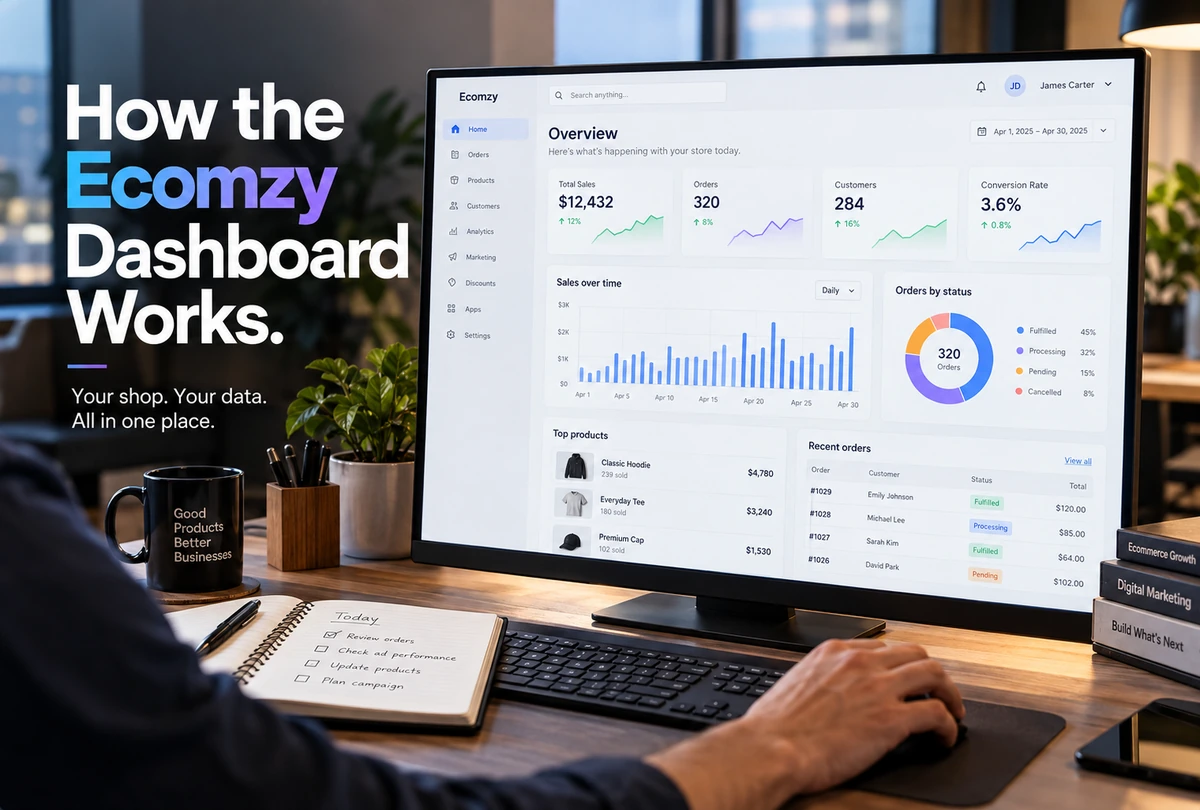
The Ecomzy Dashboard is the control plane behind the storefront. Ecomzy’s Terms describe it as the personal account area containing key information about the business, purchased services, product packages and tools. It is also where several high-impact actions converge: paid Dashboard services, plan management, order monitoring, Commission redemption, Performance Tier information and access to themes, domains, marketing tools and the Order Processing Service. Because so many different objects appear in one place, the Dashboard is also where terminology can become confusing. This guide explains the interface by function rather than by a screenshot that may become outdated.
1. The Dashboard is not the storefront
The customer-facing store and the Ecomzy Dashboard serve different audiences. The storefront is where products, pages and the shopping experience are presented. The Dashboard is the authenticated control area for the Ecomzy account. A store can therefore look normal to a shopper while the account owner is dealing with a subscription, service or processing issue in the Dashboard.
This separation becomes especially important when access changes. The Terms say Dashboard access is available while the subscription is active and is disabled if the subscription is canceled. That makes the Dashboard part of the subscription service rather than an independent admin system the user owns forever. Any operational data or records a user may need later should therefore be exported or documented before intentionally ending access.
The same principle applies when troubleshooting. A broken product page belongs to the storefront layer. A plan-upgrade issue belongs to the account or Dashboard layer. An inaccessible marketing tool can belong to the Performance Tier layer. Identifying the layer first prevents users from looking for a store-design fix when the actual issue is subscription access.
2. Ecomzy describes the Dashboard as a multi-service account area
Section 2.11 of the current Terms lists several categories of service accessible through the Dashboard: promotional services, product packages, marketing tools, paid domains, themes and the Order Processing Service. The list is explicitly non-exhaustive, which means the exact set of cards or menu items can change over time.
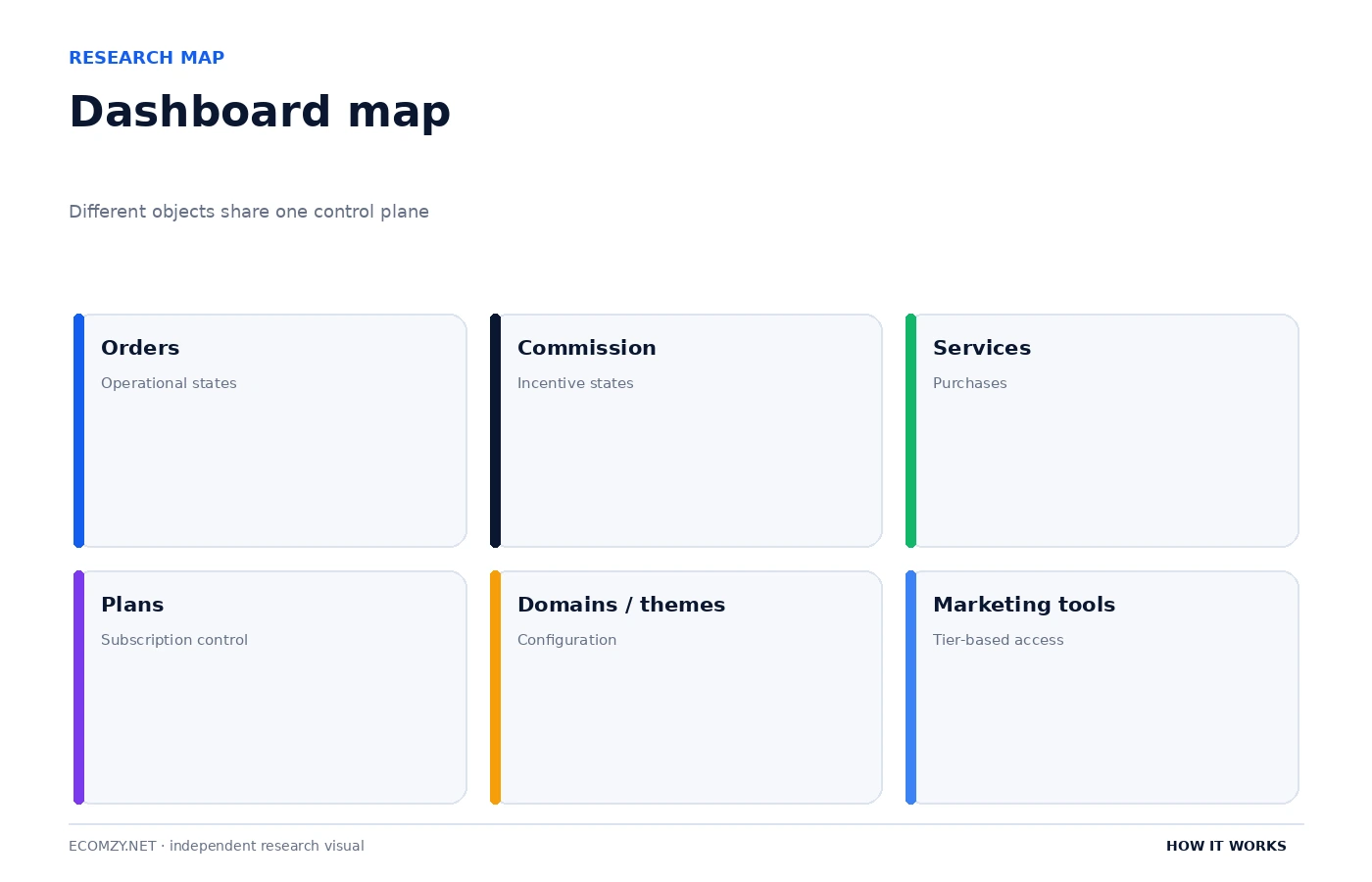
That is why a durable explanation should describe the Dashboard by function. It is a place to monitor operational state, configure account-level choices, purchase or access services, and initiate specific actions such as Commission redemption. A screenshot that labels every menu item can be useful for a month and wrong after a redesign; a functional map remains useful even when the interface moves.
The Dashboard also centralizes business information that originates in other systems. Order state comes from the order workflow. Commission state depends on processing and verification. Tool access can depend on the active Performance Tier. Subscription status comes from the PRO plan. The Dashboard visualizes or controls those systems, but it does not make them conceptually identical.
3. Monitoring is one class of Dashboard action
Some Dashboard elements are informational: order counts, order statuses, Commission states, reports, service status or other performance information. These elements help the user understand what is happening, but they do not always require an immediate paid action. Reading a status card as a button can create unnecessary purchases or duplicate processing.
A good monitoring routine starts with three questions: what object am I looking at, what state is it in, and what event would change that state? For an order, the next event might be processing. For Incoming Commission, the next event can be completion of the verification window. For a subscription, the next event can be renewal. For a marketing tool, the next event can be a tier change or activation.
This state-based reading is more reliable than interpreting color alone. Green can mean success in one widget and an enabled feature in another. A dollar sign can refer to a service price, Commission or a fee. The label and governing Terms matter more than the visual treatment.
4. Configuration is a second class of Dashboard action
The current Terms say a customer can upgrade the PRO plan in the Ecomzy account’s Plans tab or by contacting support. Performance Tier changes and applicable pricing can also be displayed in the Dashboard. Domains, themes and marketing tools are listed among the services accessible through the Dashboard. These are configuration actions because they change the account’s capabilities rather than processing a single order.
Configuration changes can have recurring effects. A PRO upgrade changes the monthly subscription. A Performance Tier change can alter the weekly subscription and tool access. Activating an additional tool can, under the current Terms, contribute to an automatic Performance Tier upgrade if the account’s usage or enabled tools require a higher tier. The safest habit is to read the billing effect before treating a configuration switch as a purely cosmetic preference.
A configuration audit should therefore include the current PRO plan, active Performance Tier, enabled marketing tools, domains, themes and any recurring services. This gives the owner a snapshot of what the Dashboard is allowed to do and what may renew automatically.
5. Purchases and redemptions are a third class of Dashboard action
The Terms say Dashboard services are available through one-click payments. That convenience is useful, but it also means a user can move from browsing a service to a charge quickly. Ecomzy says applicable fees are shown as separate line items at checkout before payment is submitted. The correct place to evaluate a purchase is therefore the final checkout breakdown, not just the headline price on the service card.
Commission redemption is the reverse-looking action: instead of buying a service, the user initiates a request to redeem eligible Available Commission. The Terms direct users to the Redeem Commission option in the Dashboard. Even though both actions can contain dollar amounts, they are opposite flows with different rules. A service checkout is a purchase; a redemption request is an application to receive an approved incentive payout.
Order Processing Credits add another category that can look monetary. They are purchased service units used for the optional Processing Service, but the Terms say they are not withdrawable cash or stored value. A Dashboard that shows credits, Commission and service prices in adjacent widgets should not tempt the user to treat all three as one “balance.”
6. Dashboard fees are event-specific
The Terms currently list an 8% Dashboard Processing Fee and 15% Dashboard Service Fee for certain purchases, with different rates for Order Processing Credits, plus an International Service Adjustment in some cases. Those fees are not card surcharges according to Ecomzy; they are platform-related service fees. Other parts of the Terms list different fee families for product processing, promotion and Commission redemption.
This is a classic interface problem: one account area can contain many charge types. The solution is to pair each fee with its event. If the user is buying a Dashboard service, read the Dashboard-service checkout. If the user is buying credits, read the credit purchase disclosure. If the user is processing a product, read the order-processing disclosure. If the user is redeeming Commission, read the selected transfer method.
The Pricing Hub is the better place to compare percentages and total cost. In a Dashboard article, the more durable lesson is that the same account area can trigger different fee schedules and the checkout screen should identify which schedule applies.
7. Subscription status controls access to more than billing
The Dashboard’s dependence on the active subscription is easy to underestimate. The Terms say canceling the subscription disables Dashboard access. They also say Performance Tier features are suspended if the underlying PRO subscription is canceled, suspended or expired. This means a subscription problem can appear as a tool-access problem even when the tool itself has not been separately canceled.
Before troubleshooting a missing or disabled tool, check the base subscription. Before assuming a Commission feature is broken, check whether account access is fully active. Before requesting a downgrade in Performance Tier, check whether enabled tools and current usage are compatible with the lower tier. The Dashboard is a network of dependent states rather than a collection of unrelated menu items.
That dependency is also why users should retain important records. If an account will be canceled, export invoices, note Commission and order status, save relevant service confirmations and complete any necessary support conversations while Dashboard access is still available.
8. Build a Dashboard routine around exceptions, not constant clicking
A useful Dashboard routine does not require monitoring every card all day. It focuses on exceptions: new unprocessed orders, Commission that remains in a state longer than expected, failed renewals, unexpected tier changes, services awaiting delivery, or checkout totals that do not match the expected service price. Those exceptions deserve attention because they indicate a state transition is blocked or a paid action may be needed.
- Orders: review new and unprocessed items.
- Commission: compare Pending, Incoming and Available with the underlying order state.
- Subscription: confirm PRO status and renewal information.
- Performance Tier: note the active tier, enabled tools and any automatic-upgrade notice.
- Services: track what was purchased, delivery status and refund window where applicable.
- Credits: treat them as prepaid service units, not cash.
- Redemption: confirm eligibility before submitting a request.
- Records: save invoices, confirmations and support case details for unusual events.
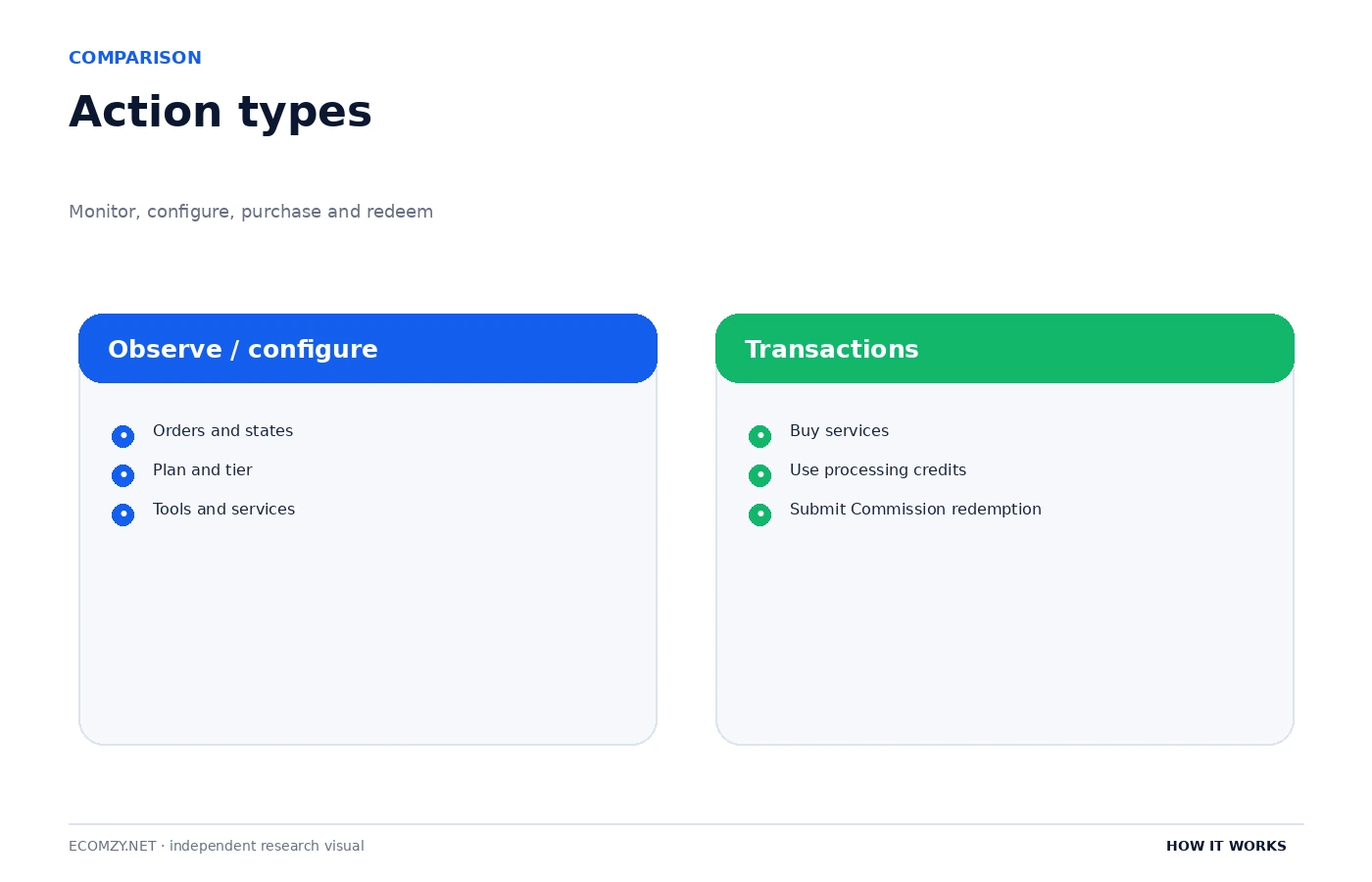
Once those checks are routine, the Dashboard becomes easier to read because the user is no longer reacting to every number. The interface becomes a control surface for defined workflows: monitor, configure, purchase, process and redeem.
9. The Dashboard is a view across several ledgers, not one ledger
Orders, Commission, service purchases, subscriptions and credits can all have numeric values, but they belong to different systems. A good Dashboard lets users view those systems together; a good independent guide keeps their meanings separate. When reconciling the account, use a different line for each system rather than summing everything that has a dollar sign.
For example, an Available Commission amount is a promotional incentive eligible for redemption, while an Order Processing Credit balance is prepaid service capacity. A service card can display a price that will become a charge only if purchased. A subscription line shows a recurring obligation. They may coexist on one screen, but they should never be merged into one concept of “funds.”
10. One-click purchase design increases the need for review discipline
Convenience lowers friction. In a Dashboard where services can be purchased with one click, low friction is useful for speed but raises the importance of the final checkout review. The correct habit is to slow down at the point of commitment: confirm the service, recurrence, fee line items, refund rule and total. Fast interface does not mean the economic decision should be fast.
This is especially important for services whose refundability changes after provisioning or work begins. The Terms contain different cancellation rules for different services. The user should not assume a generic 30-day rule applies to every product simply because some Dashboard services have a 30-day framework. Read the service-specific section or checkout disclosure before committing.
11. Dashboard hygiene for recurring costs
Once a week, list every recurring layer visible in the account: PRO subscription, Performance Tier and any other recurring service. Then list one-time or usage-based purchases separately. This prevents a one-click service purchase from being mentally grouped with the base subscription.
Use the same approach for non-cash items. Keep Commission, Ads Credits and Order Processing Credits in separate notes because the Terms give them different meanings and different refund or redemption rules. A simple spreadsheet with columns for object type, current state, expiration or renewal date and next action is often enough.
When the Dashboard changes, compare function rather than layout. A button moving from one menu to another is less important than whether the underlying action, fee trigger or eligibility rule changed. The Terms and checkout disclosure remain the better anchors for interpretation.
Frequently asked questions
What is the Ecomzy Dashboard?
The Terms describe it as the personal account area containing key business information and access to purchased services, product packages and tools.
Can I access the Dashboard after canceling Ecomzy?
The current Terms say Dashboard access is disabled when the subscription is canceled.
Are all dollar amounts in the Dashboard the same kind of balance?
No. The interface can show service prices, fees, Commission and prepaid credits. Those objects have different contractual meanings.
Where do I request Commission redemption?
The current Terms direct users to the Redeem Commission option in the Dashboard.
Can enabling tools affect my Performance Tier?
Yes. The Terms say Performance Tier upgrades may occur automatically based on usage, including activating additional tools or reaching order-volume thresholds.
Where to go next
- How Ecomzy Works
- How Ecomzy Orders and Order Processing Work
- How Ecomzy Commission, Redemption and Payout Requests Work
- How Ecomzy Marketing Tools and Performance Tiers Work
- Ecomzy Pricing Hub
Official sources reviewed
This article was checked against Ecomzy’s public documentation on September 30, 2026. Where marketing copy and policy language describe the same topic differently, the distinction is stated instead of silently choosing one version.
12. A monthly Dashboard reconciliation
A monthly reconciliation is a useful way to keep the account understandable as services accumulate. Start with the base PRO subscription and confirm the current plan, renewal date and amount. Then record the active Performance Tier and any tool that appears to require it. Next, list Dashboard services purchased during the month, including the date, headline price, additional fees and refund rule shown at checkout. Finally, compare order activity and Commission states with the operational records from the Orders area.
The purpose is not bookkeeping for its own sake. It is to catch mismatches early. An unexpected weekly tier can be noticed before several renewals pass. A service that was purchased but not delivered can be raised with support while the record is fresh. A Commission item that should have moved from Incoming to Available can be identified by date rather than memory. Reconciliation turns the Dashboard from a collection of cards into a system the owner can audit.
Keep the reconciliation outside the Dashboard as well. A local spreadsheet or document should contain only the information needed to understand account state; do not store passwords or full payment-card data. Useful fields include date, object type, name, amount or status, next renewal or expected state-change date, and a short note about any action required.
13. How to evaluate a changed Dashboard interface
Ecomzy can change the arrangement, labels or visual design of the Dashboard without changing the underlying workflow. When an interface update appears, compare functions rather than pixels. Identify where orders are now shown, where plan information lives, where Commission is displayed, where paid services are accessed and where marketing tools are controlled. Then compare the current Terms to see whether any underlying rule changed at the same time.
This approach prevents an outdated screenshot from becoming the source of truth. A third-party guide should teach readers what the Dashboard does, not force the live product to preserve a particular menu structure forever. Function-based documentation is more resilient and more useful for troubleshooting.
Join the discussion
Share a question, correction or useful experience related to this article. First-time comments may be held for moderation.