
The first week with Ecomzy should be treated as an operating setup period, not as a race to activate every available feature. The platform currently combines a PRO subscription, a turnkey store, access to digital products, a Dashboard, optional Performance Tiers and separate paid services. Those layers can interact, but they do not need to be configured all at once. A better first-week objective is to create a clean baseline: know what account you have, what storefront was provisioned, what products are actually live, how an order is handled, which recurring layers are active and where you will record paid actions. This guide turns that baseline into a seven-day checklist.
Day 1: secure the account baseline
Start with the subscription and account rather than the public storefront. Save the onboarding email, the login address, the email tied to the account and the date on which store access was actually provided. Ecomzy’s Terms currently describe a 14-day trial that starts from the date store access details are provided, while the public Pricing page emphasizes automatic monthly billing after the trial. The useful action is not to memorize a marketing headline; it is to write down the date that matters for your own account and verify the current renewal information in the Dashboard.
Record the active PRO plan and whether any separate service was selected during onboarding. The Terms say additional paid services selected in the setup survey are outside the base trial and may be charged immediately. That makes the final survey confirmation and checkout receipt part of your operating records. If the amount on the receipt does not match your memory of what you selected, investigate before buying anything else. A clean baseline makes every later comparison easier.
Day 2: audit the storefront as a customer
Open the store in a private browser window and on a phone. Do not begin with the WordPress editor or account Dashboard. Start where a customer starts: homepage, navigation, product pages, contact path and checkout path. Ecomzy currently describes the store as turnkey and mobile-ready, but a provisioned site should still be verified in the environment customers actually see. Check that the domain resolves, HTTPS is present, navigation labels make sense and the store does not expose unfinished placeholder content.
The Terms say free store creation can include hosting, a domain unless another domain option is selected, one branded email address, catalog access, starter products, mailing setup and basic SEO metadata. Use that as a checklist, not as a reason to assume every component is perfect. Send a message to the branded email. Open several product pages. Make sure contact details and policies are reachable. If something is wrong, capture the public URL and screenshot before changing multiple settings at once.
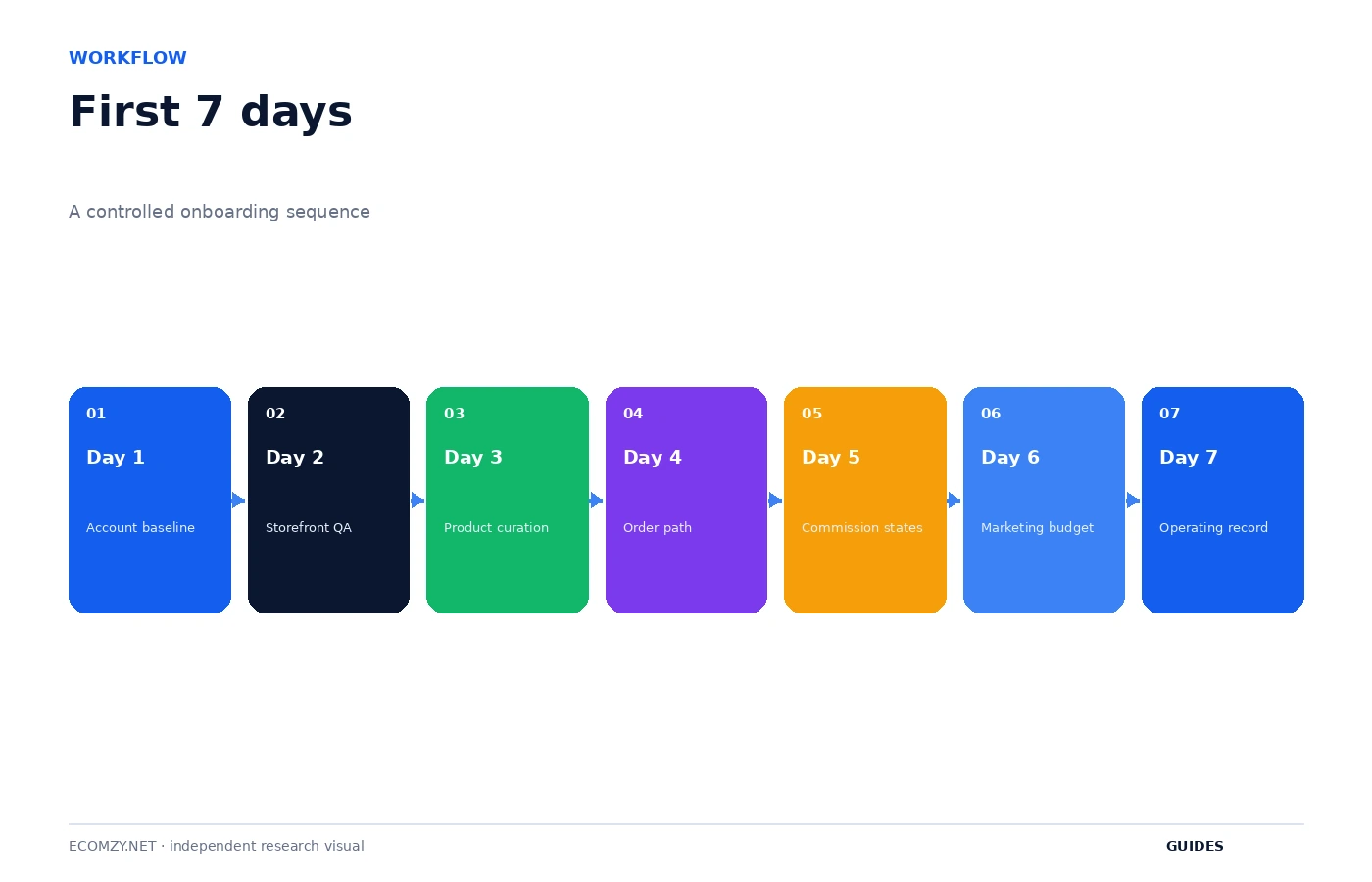
Day 3: curate the starter product set
Ecomzy’s current Terms say the turnkey store may be populated with 50 random Ecomzy products by default and that the subscription provides access to thousands of catalog products available for import. The word random is the reason to review the initial assortment before expanding it. A starter catalog demonstrates the store and gives you material to work with; it is not necessarily the final positioning of your business.
Create three buckets: keep, review later and remove or replace. Keep products that fit one clear audience and whose customer outcome you can explain. Put uncertain products aside instead of importing more. Check that each live item clearly communicates what the customer receives, especially because current Ecomzy public materials position the product side around digital products. Product limits in PRO plans are capacity ceilings, not a target you need to fill in week one.
Day 4: understand one complete order path
Before trying to optimize anything, understand how one order is supposed to move. Ecomzy’s Terms currently describe more than one payment or storefront model, so do not infer your exact flow from a generic screenshot. Look at the live checkout and Dashboard attached to your account. Identify where the customer completes payment, what appears in Orders after a purchase and what action the owner is expected to take.
The Terms connect order processing with later Commission states and also describe an optional Order Processing Service initiated with prepaid Order Processing Credits. Those credits are defined as service units rather than cash or a wallet. The practical rule for week one is simple: before confirming a processing action, know whether you are using the normal flow or an optional service, read the displayed amount or credits, and record the result after the action. Do not learn the system by clicking the same order repeatedly.
Day 5: learn the three Commission states
If your account uses the Partner Commission workflow, learn the state names before focusing on the amount. The current Terms define Pending Commission in connection with unprocessed orders, Incoming Commission after processing while Ecomzy performs verification, and Available Commission after qualifying verification. Incoming is currently described as remaining under verification for up to 72 hours. Those states are operational clues: Pending points back to the order, Incoming points to verification, and Available points to redemption eligibility.
Ecomzy also states that Commission is an internal, non-cash promotional incentive rather than customer funds or a stored-value account. That distinction matters because it prevents you from treating every dollar-labelled item in the Dashboard as the same kind of money. During the first week, your goal is simply to understand which state changes after which event. Detailed redemption fees belong in the Pricing Hub; the workflow belongs in your operating notes.
Day 6: separate marketing access from marketing spend
Performance Tiers are currently separate from the underlying PRO subscription. The Terms list a free Basic tier and paid weekly tiers with increasing order capacity and tool access, and they allow automatic upgrades based on usage such as enabled tools or order volume. Before activating a marketing feature, check whether it changes the weekly tier. A feature toggle can therefore be a subscription decision, not just an interface preference.
Separately, Ecomzy describes a Promotion Service activated through Ads Credits. The public paid-ads page presents automated promotion, while the Terms state that business outcomes and advertising performance are not guaranteed. In week one, create a marketing budget before activating extra tools or promotion. You should be able to explain what result you expect to observe, how much you are willing to spend and when you will review the decision.
Day 7: create the operating record
Finish the first week by writing down the current state of the account. Record the PRO plan, Performance Tier, active marketing tools, paid services, domain, branded email, approximate catalog size, any unprocessed orders and the Commission states you can see. Save receipts and support case references. This record gives you a baseline for future troubleshooting and makes it easier to detect an unexpected recurring layer.
The record does not need to be complicated. A spreadsheet with date, object, current state, next expected event and action required is enough. Avoid storing passwords or full card details. The purpose is operational memory: when a tier changes, when a service renews or when an order appears stuck, you should be able to compare today’s state with a dated baseline instead of relying on recollection.
What not to do in the first week
- Do not import products simply to fill the maximum capacity of the plan.
- Do not activate several paid tools at the same time if you cannot measure which one you needed.
- Do not treat Ads Credits or Order Processing Credits as withdrawable money.
- Do not assume a marketing setup-time claim is the same thing as the policy window for credential delivery.
- Do not retry a paid processing action repeatedly without first recording the order state and displayed message.
- Do not cancel access before saving invoices, service confirmations and any information you may need later.
A practical first-week review
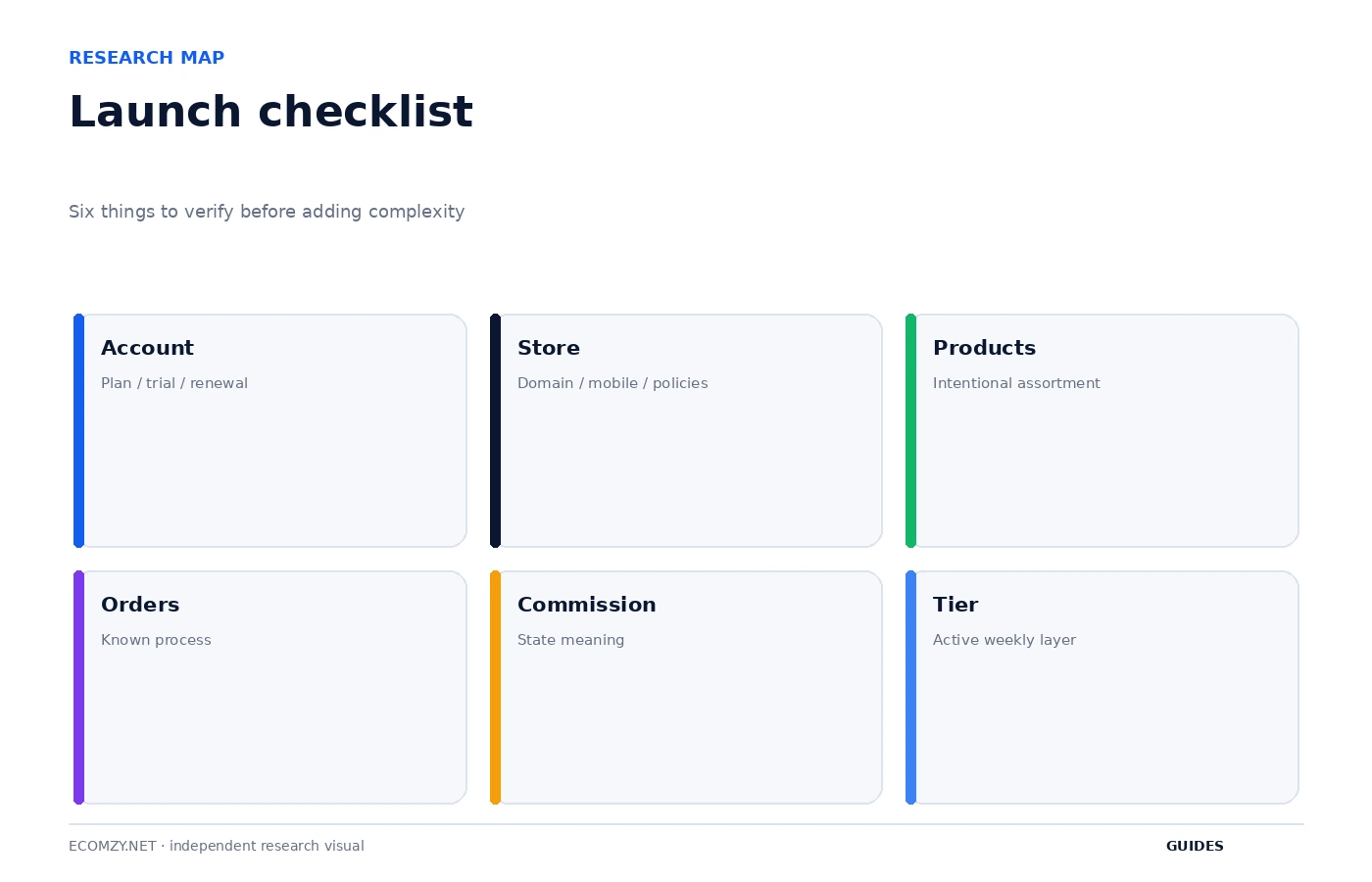
At the end of day seven, ask whether you can answer six questions without opening a search engine: which subscription is active, which weekly tier is active, what products you intentionally want to sell, how an order moves to the next state, what Pending/Incoming/Available mean, and which paid services are recurring or usage-based. If any answer is unclear, that becomes the next task. You do not need to master every feature before operating the store; you do need to understand the dependencies that can create charges or block the next action.
This sequence also creates a clean boundary between learning and optimization. The first week is for control. Later weeks can be used for catalog experiments, marketing tests, store content improvements and cost optimization. Starting with a controlled baseline makes those experiments more useful because you know what changed and when.
Frequently asked questions
Should I activate every Ecomzy tool during the trial?
No. The trial is a good time to understand the base workflow, but paid services and Performance Tiers can be separate layers. Activate a tool only after checking its billing and tier effect.
When should I start changing the product catalog?
After you have reviewed the starter assortment and defined a clear audience. Import in small batches so the live store can be checked after each change.
What is the most important first-week record?
A dated snapshot of the active plan, tier, paid services, orders and Commission states. It gives you a baseline for later troubleshooting.
Where should I verify an account-specific rule?
Use the current Ecomzy Dashboard, checkout disclosure and current Terms. Public marketing pages are useful context but should not replace account-specific information.
Where to go next
- How to Choose Products for Your Ecomzy Store
- How to Manage Your Ecomzy Store Day to Day
- How Ecomzy Works Hub
- Ecomzy Pricing Hub
Official sources reviewed
First-week evidence folder
Create one folder for onboarding records: survey confirmation, subscription receipt, service receipts, store-access email, domain information and screenshots of any unusual state. Keep the folder organized by date. This is not busywork; it gives you the exact starting point if an account charge, store configuration or support issue later needs to be reconstructed.
Review this item on a fixed cadence and record only changes that affect access, money, customer experience or the next operational state. The purpose of the guide is to create a repeatable decision process, not to add more routine work than the store actually needs.
The first change log
Start a simple change log on day one. Record only meaningful changes: product batches imported, navigation changes, tool activations, tier changes and paid services. For each line, include date, reason and expected outcome. The log makes later marketing and troubleshooting analysis much cleaner because you know when the operating environment changed.
Review this item on a fixed cadence and record only changes that affect access, money, customer experience or the next operational state. The purpose of the guide is to create a repeatable decision process, not to add more routine work than the store actually needs.
Operating review note
At the end of each review cycle, compare the current account state with the dated baseline you created earlier. Identify what changed, which change was intentional and which object now requires the next action. If a paid or irreversible action is involved, verify the current Dashboard disclosure and current Terms before proceeding.
Keep the record concise. A useful operating note contains a date, object, state, expected next event and action owner. This structure remains useful even if Ecomzy changes menu labels or redesigns the interface because it describes the workflow rather than a particular screenshot.
Operating review note
At the end of each review cycle, compare the current account state with the dated baseline you created earlier. Identify what changed, which change was intentional and which object now requires the next action. If a paid or irreversible action is involved, verify the current Dashboard disclosure and current Terms before proceeding.
Keep the record concise. A useful operating note contains a date, object, state, expected next event and action owner. This structure remains useful even if Ecomzy changes menu labels or redesigns the interface because it describes the workflow rather than a particular screenshot.
Operating review note
At the end of each review cycle, compare the current account state with the dated baseline you created earlier. Identify what changed, which change was intentional and which object now requires the next action. If a paid or irreversible action is involved, verify the current Dashboard disclosure and current Terms before proceeding.
Keep the record concise. A useful operating note contains a date, object, state, expected next event and action owner. This structure remains useful even if Ecomzy changes menu labels or redesigns the interface because it describes the workflow rather than a particular screenshot.
Operating review note
At the end of each review cycle, compare the current account state with the dated baseline you created earlier. Identify what changed, which change was intentional and which object now requires the next action. If a paid or irreversible action is involved, verify the current Dashboard disclosure and current Terms before proceeding.
Keep the record concise. A useful operating note contains a date, object, state, expected next event and action owner. This structure remains useful even if Ecomzy changes menu labels or redesigns the interface because it describes the workflow rather than a particular screenshot.
Operating review note
At the end of each review cycle, compare the current account state with the dated baseline you created earlier. Identify what changed, which change was intentional and which object now requires the next action. If a paid or irreversible action is involved, verify the current Dashboard disclosure and current Terms before proceeding.
Keep the record concise. A useful operating note contains a date, object, state, expected next event and action owner. This structure remains useful even if Ecomzy changes menu labels or redesigns the interface because it describes the workflow rather than a particular screenshot.
Operating review note
At the end of each review cycle, compare the current account state with the dated baseline you created earlier. Identify what changed, which change was intentional and which object now requires the next action. If a paid or irreversible action is involved, verify the current Dashboard disclosure and current Terms before proceeding.
Keep the record concise. A useful operating note contains a date, object, state, expected next event and action owner. This structure remains useful even if Ecomzy changes menu labels or redesigns the interface because it describes the workflow rather than a particular screenshot.
Operating review note
At the end of each review cycle, compare the current account state with the dated baseline you created earlier. Identify what changed, which change was intentional and which object now requires the next action. If a paid or irreversible action is involved, verify the current Dashboard disclosure and current Terms before proceeding.
Keep the record concise. A useful operating note contains a date, object, state, expected next event and action owner. This structure remains useful even if Ecomzy changes menu labels or redesigns the interface because it describes the workflow rather than a particular screenshot.
Join the discussion
Share a question, correction or useful experience related to this article. First-time comments may be held for moderation.