
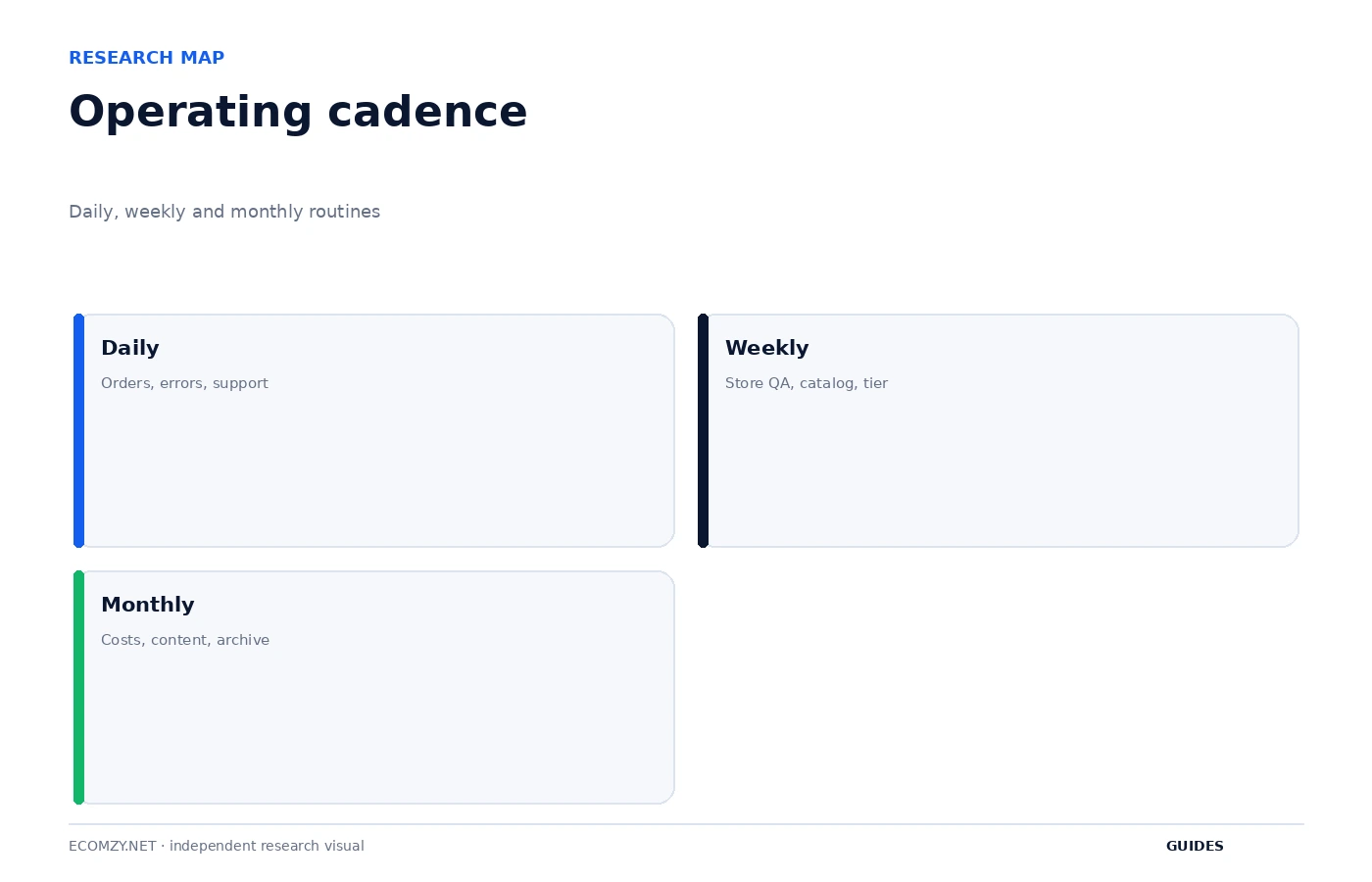
Day-to-day store management should be deliberately small. Ecomzy provisions much of the technical environment, but the owner still needs a repeatable routine for customer-facing quality, orders, support, paid services and account state. Constantly refreshing the Dashboard is not a management system. A better approach is to divide checks into daily, weekly and monthly layers so the important exceptions surface without turning the platform into a full-time monitoring job.
1. Build a daily exception queue
Your daily check should begin with items that can become more expensive or more confusing if ignored: new or unprocessed orders, customer-access problems, failed payments or service errors, and support messages. Do not begin by browsing analytics. Operational exceptions deserve attention before optimization. The current Terms include timing rules around order processing, so an unprocessed order is a more urgent object than a graph that changed slightly overnight.
Create a short queue with one line per exception: object, current state, timestamp and next action. If nothing requires action, the daily operational review can be finished quickly. This approach keeps the Dashboard useful without teaching the owner to treat every number as an alarm.
2. Verify customer-facing surfaces after every meaningful change
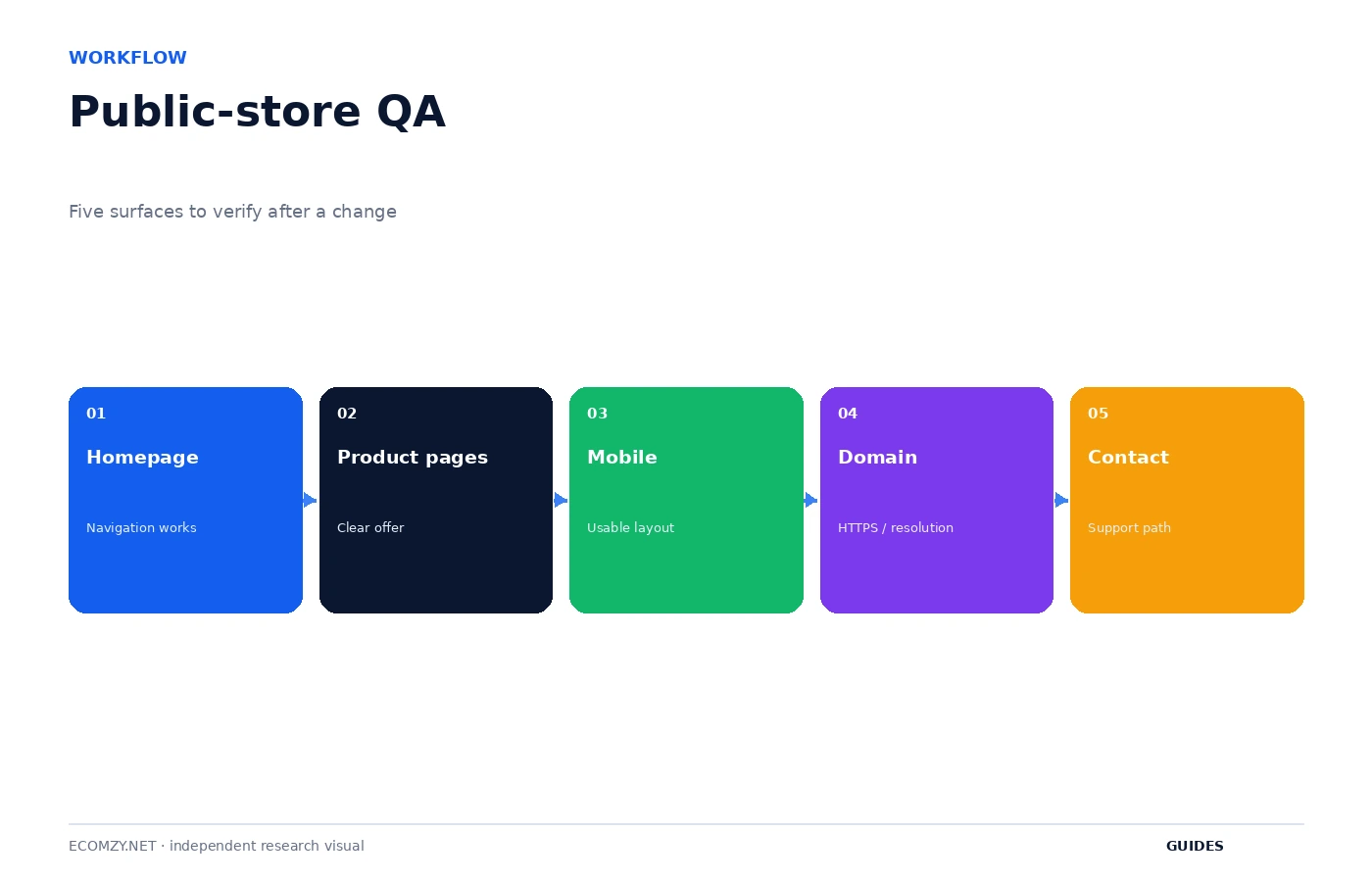
A successful save in WordPress or the Ecomzy environment does not prove that the public store looks correct. After changing navigation, product categories, theme settings, domain configuration or important content, open the public store in a private browser window. Check desktop and mobile. The customer view should be the final acceptance test for storefront work.
The minimum surfaces are homepage and navigation, product page clarity, mobile rendering, domain and HTTPS, and the customer contact path. If one surface is broken, capture the URL and original state before making a second unrelated change. Controlled troubleshooting is easier when one variable changes at a time.
3. Keep the assortment clean
Store management and product selection overlap at one important point: the live assortment needs ongoing hygiene. New products can make old categories less coherent. A removed product can leave internal links or promotional content pointing to a dead page. A product that once fit the store may become redundant after a better alternative is imported.
Once a week, review recent additions and a rotating portion of the older catalog. You do not need to reread every product. Look for obvious duplication, unclear digital-delivery language, inconsistent titles and category sprawl. This keeps the store easier to navigate without turning maintenance into a complete redesign.
4. Treat domain, email and support as infrastructure
The Terms currently describe a domain and one branded email address among the components that may be included in turnkey store creation. Those components should be tested periodically because customers experience them as infrastructure. Confirm the domain resolves, HTTPS works, the support address can receive messages and outbound replies do not disappear into spam.
A branded email address is not itself a support process. Decide who checks it, how often and what information should be recorded when a customer reports a problem. If the issue concerns a digital product, capture the product, order and access problem rather than forwarding a vague message into support. Good internal notes reduce the number of back-and-forth messages.
5. Use the Dashboard as a control plane, not one giant balance
The Dashboard can surface subscriptions, orders, Commission, services, credits and marketing tools. These objects should not be mentally combined simply because they appear in one account area. Order Processing Credits are prepaid service units under the current Terms. Commission is a separate promotional-incentive system. A Performance Tier is a recurring access layer. A service card can represent a one-click purchase.
Once a week, identify the object type before interpreting the number. This is basic account hygiene. It reduces the risk of treating credits as cash, treating an Available Commission amount as an approved payout or assuming an activated tool is included in the base subscription.
6. Reconcile recurring layers weekly
The current platform model can include a monthly PRO subscription and a separate weekly Performance Tier. That means a user who watches only the monthly renewal can miss a recurring weekly change. The Terms also allow Performance Tier upgrades based on usage, including enabled tools or order thresholds. A weekly review should therefore record the active tier and the tools that justify it.
If the tier is higher than expected, investigate the cause before assuming an error. If a tool no longer needs to be active, document that state before requesting a downgrade. The Terms say downgrade requests can be reviewed for compatibility with current usage and enabled tools, so cleanup before the request can matter.
7. Keep paid services in a service register
One-click Dashboard purchases make it easy for separate services to disappear into the general account history. Keep a simple service register with purchase date, service name, price shown, additional fees, delivery expectation, refund condition and current status. This is especially useful when a service has a delivery period or becomes non-refundable after work begins.
The service register is not a substitute for invoices. It is a management view that lets the owner see which purchases are still open, which are complete and which require follow-up. A paid service that is forgotten is harder to evaluate and harder to troubleshoot.
8. Use a monthly reconciliation instead of memory
At the end of each month, compare your records with the Dashboard and receipts. List the PRO subscription, active Performance Tier, Dashboard services, processing-related spend, promotion spend and any Commission redemption activity separately. The exact cost analysis belongs in the Cost Control guide, but the store-management task is to confirm that every recurring or purchased item has a known reason.
Also archive support cases and screenshots for unusual events. You do not need to save every normal screen. Preserve the evidence for events that changed money, access or order state. This creates an operational history that becomes valuable when the interface changes or when a later support issue resembles an earlier one.
9. Maintain a change log for the storefront
A lightweight change log can contain date, page or setting changed, reason and expected outcome. It is especially helpful for theme, navigation, domain and catalog changes. If the store looks wrong later, you can work backward from a known change instead of searching every setting.
The change log also improves marketing analysis. If traffic or conversion changes after a large storefront edit, you know when the customer experience changed. That does not prove causation, but it prevents the business from losing basic timeline context.
10. Know when not to touch the store
A stable store does not need constant redesign. Once the public surfaces are clear, operational work should focus on exceptions and deliberate experiments. Changing layout, catalog and marketing settings at the same time makes it harder to understand what caused a later issue. Reliability often comes from fewer simultaneous changes, not from more activity.
A practical rule is to separate maintenance from experimentation. Maintenance keeps the current store working. Experiments change one thing for a reason and have a review date. If you cannot state whether an action is maintenance or an experiment, postpone it until the objective is clearer.
Frequently asked questions
How often should I check the Ecomzy Dashboard?
Check often enough to handle time-sensitive orders and exceptions, but use a routine rather than constant refreshing.
What should I review weekly?
Storefront QA, product hygiene, recurring tier status, paid services and unresolved support items.
Should I redesign the store frequently?
No. Stable customer-facing pages are usually easier to manage. Make deliberate changes and keep a simple log.
What should I save before canceling?
Invoices, service confirmations, relevant order and Commission records, and support case details you may need after Dashboard access changes.
Where to go next
Official sources reviewed
Create a weekly closure routine
End the week by clearing resolved exceptions, archiving completed service notes and listing the few items that carry into the next week. The closure prevents the operating queue from becoming a permanent backlog. Anything carried forward should have a reason, an owner and a next check date.
Review this item on a fixed cadence and record only changes that affect access, money, customer experience or the next operational state. The purpose of the guide is to create a repeatable decision process, not to add more routine work than the store actually needs.
Protect the stable parts of the store
Once domain, navigation, key categories and policy pages are working, treat them as stable infrastructure. Avoid casual edits immediately before a marketing push or while a support incident is open. Stability gives you a known baseline and reduces the number of variables when performance or customer behavior changes.
Review this item on a fixed cadence and record only changes that affect access, money, customer experience or the next operational state. The purpose of the guide is to create a repeatable decision process, not to add more routine work than the store actually needs.
Operating review note
At the end of each review cycle, compare the current account state with the dated baseline you created earlier. Identify what changed, which change was intentional and which object now requires the next action. If a paid or irreversible action is involved, verify the current Dashboard disclosure and current Terms before proceeding.
Keep the record concise. A useful operating note contains a date, object, state, expected next event and action owner. This structure remains useful even if Ecomzy changes menu labels or redesigns the interface because it describes the workflow rather than a particular screenshot.
Operating review note
At the end of each review cycle, compare the current account state with the dated baseline you created earlier. Identify what changed, which change was intentional and which object now requires the next action. If a paid or irreversible action is involved, verify the current Dashboard disclosure and current Terms before proceeding.
Keep the record concise. A useful operating note contains a date, object, state, expected next event and action owner. This structure remains useful even if Ecomzy changes menu labels or redesigns the interface because it describes the workflow rather than a particular screenshot.
Operating review note
At the end of each review cycle, compare the current account state with the dated baseline you created earlier. Identify what changed, which change was intentional and which object now requires the next action. If a paid or irreversible action is involved, verify the current Dashboard disclosure and current Terms before proceeding.
Keep the record concise. A useful operating note contains a date, object, state, expected next event and action owner. This structure remains useful even if Ecomzy changes menu labels or redesigns the interface because it describes the workflow rather than a particular screenshot.
Operating review note
At the end of each review cycle, compare the current account state with the dated baseline you created earlier. Identify what changed, which change was intentional and which object now requires the next action. If a paid or irreversible action is involved, verify the current Dashboard disclosure and current Terms before proceeding.
Keep the record concise. A useful operating note contains a date, object, state, expected next event and action owner. This structure remains useful even if Ecomzy changes menu labels or redesigns the interface because it describes the workflow rather than a particular screenshot.
Operating review note
At the end of each review cycle, compare the current account state with the dated baseline you created earlier. Identify what changed, which change was intentional and which object now requires the next action. If a paid or irreversible action is involved, verify the current Dashboard disclosure and current Terms before proceeding.
Keep the record concise. A useful operating note contains a date, object, state, expected next event and action owner. This structure remains useful even if Ecomzy changes menu labels or redesigns the interface because it describes the workflow rather than a particular screenshot.
Operating review note
At the end of each review cycle, compare the current account state with the dated baseline you created earlier. Identify what changed, which change was intentional and which object now requires the next action. If a paid or irreversible action is involved, verify the current Dashboard disclosure and current Terms before proceeding.
Keep the record concise. A useful operating note contains a date, object, state, expected next event and action owner. This structure remains useful even if Ecomzy changes menu labels or redesigns the interface because it describes the workflow rather than a particular screenshot.
Operating review note
At the end of each review cycle, compare the current account state with the dated baseline you created earlier. Identify what changed, which change was intentional and which object now requires the next action. If a paid or irreversible action is involved, verify the current Dashboard disclosure and current Terms before proceeding.
Keep the record concise. A useful operating note contains a date, object, state, expected next event and action owner. This structure remains useful even if Ecomzy changes menu labels or redesigns the interface because it describes the workflow rather than a particular screenshot.
Operating review note
At the end of each review cycle, compare the current account state with the dated baseline you created earlier. Identify what changed, which change was intentional and which object now requires the next action. If a paid or irreversible action is involved, verify the current Dashboard disclosure and current Terms before proceeding.
Keep the record concise. A useful operating note contains a date, object, state, expected next event and action owner. This structure remains useful even if Ecomzy changes menu labels or redesigns the interface because it describes the workflow rather than a particular screenshot.
Operating review note
At the end of each review cycle, compare the current account state with the dated baseline you created earlier. Identify what changed, which change was intentional and which object now requires the next action. If a paid or irreversible action is involved, verify the current Dashboard disclosure and current Terms before proceeding.
Keep the record concise. A useful operating note contains a date, object, state, expected next event and action owner. This structure remains useful even if Ecomzy changes menu labels or redesigns the interface because it describes the workflow rather than a particular screenshot.
Operating review note
At the end of each review cycle, compare the current account state with the dated baseline you created earlier. Identify what changed, which change was intentional and which object now requires the next action. If a paid or irreversible action is involved, verify the current Dashboard disclosure and current Terms before proceeding.
Keep the record concise. A useful operating note contains a date, object, state, expected next event and action owner. This structure remains useful even if Ecomzy changes menu labels or redesigns the interface because it describes the workflow rather than a particular screenshot.
Join the discussion
Share a question, correction or useful experience related to this article. First-time comments may be held for moderation.